Blog

San Francisco E-Waste for Business

San Francisco E-Waste for Business

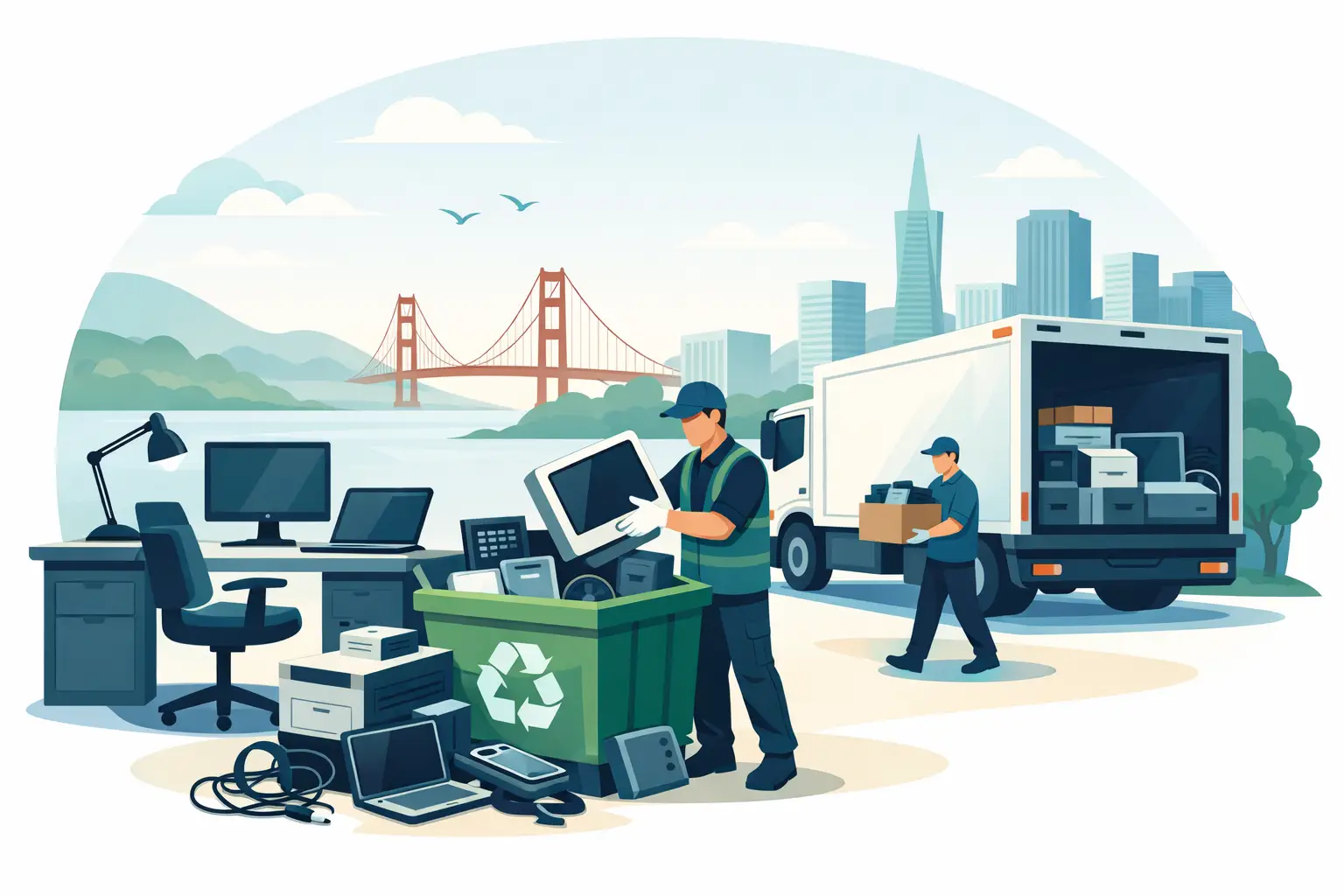
A locked storage room full of retired laptops, dead monitors, old switches, and swollen batteries is not just a space problem. For many organizations, San Francisco e-waste becomes a compliance issue, a data-risk issue, and eventually an operations issue. The longer obsolete equipment sits on-site, the harder it is to track what is there, what still holds data, and what can be safely moved out.

For offices, schools, nonprofits, medical practices, and public agencies, the real question is not whether to recycle electronics. It is how to do it in a way that is secure, documented, and practical for day-to-day operations. That means matching the type and volume of equipment to the right pickup and destruction process, not treating every load of end-of-life electronics the same.

What San Francisco e-waste usually includes

Business e-waste is rarely a neat stack of desktop towers. More often, it is a mixed load built up over time across departments, storage closets, and remote locations. It may include computers, servers, networking gear, phones, tablets, cables, docking stations, printers, accessories, batteries, and miscellaneous peripherals that were kept “just in case” and never used again.

Some of those items are straightforward to recycle. Others need extra handling. Hard drives and solid-state drives raise obvious data security concerns. Batteries require proper segregation and transportation. Larger items such as copiers and large-format printers can change the cost and logistics of a pickup. A simple cleanout can quickly turn into a project if no one has inventoried the load in advance.

That is why commercial e-waste recycling works best when it is treated as an operational task, not an afterthought. The organization needs a clear understanding of what is leaving the site, whether any items need destruction before recycling, and whether the load qualifies for free pickup or requires a fee-based service call.

Why business e-waste needs a different process

Consumer drop-off options exist, but they are not built for organizations disposing of dozens or hundreds of assets at once. A business or institutional load usually needs scheduled pickup, chain-of-custody awareness, and a vendor that understands regulated handling requirements. It also needs minimal disruption. IT managers do not want disposal day interfering with network changes, office moves, or refresh cycles.

There is also the issue of accountability. If equipment contains storage media, organizations need to know whether devices are being remarketed, dismantled, shredded, or processed under a documented destruction workflow. “Recycled” is not specific enough when the devices once stored employee records, client files, financial data, or internal communications.

San Francisco organizations are also operating in a state with strong environmental expectations. Electronics cannot be treated like ordinary trash. Improper disposal creates legal exposure and reputational risk, especially for schools, healthcare providers, public agencies, and companies handling confidential information. A compliant recycler helps reduce that risk by keeping materials out of landfills and out of informal downstream channels where devices may be exported or mishandled.

Secure data destruction is part of the job

For many organizations, the most sensitive part of San Francisco e-waste disposal is not the recycling itself. It is the data. Desktops, laptops, servers, phones, backup devices, and loose drives can all retain recoverable information if they are not properly sanitized or physically destroyed.

The right approach depends on the asset. In some cases, data wiping may make sense for devices with resale value and clear internal disposition rules. In other cases, physical destruction is the better choice, especially for failed drives, damaged devices, or equipment holding regulated or highly sensitive data. There is no one-size-fits-all answer. A finance office, a school district, and a startup closing a satellite office may all have different destruction standards.

What matters is that the decision is made intentionally. If an organization cannot verify that storage media has been sanitized or destroyed, it should assume there is still a risk. That is why secure data destruction and electronics recycling are often handled together rather than as separate projects.

When shredding makes more sense than wiping

Wiping can be effective when drives are functional, accessible, and slated for reuse or resale. Shredding is more direct when devices are broken, encrypted but unverified, or too time-consuming to process individually. It also simplifies internal sign-off for organizations that need a clear end point for storage media.

That trade-off matters in larger refresh cycles. If an IT department is decommissioning several racks of aging equipment, wiping every drive may not be worth the labor if the priority is fast removal and final destruction. On the other hand, high-value assets may justify a more selective workflow if liquidation or buyback is part of the plan.

Pickup logistics matter more than most teams expect

The practical side of e-waste is often where projects stall. Equipment is spread across floors, buildings, or campuses. Some items are boxed, others are loose, and no one is fully sure what is in storage. Then the team finds out that pickup pricing depends on volume, item mix, access conditions, or whether oversized equipment is involved.

A straightforward pickup process solves that early. The organization should know what qualifies for no-cost removal, what requires special handling, and whether there are minimum volume thresholds. This is particularly useful for offices that generate recurring e-waste but not always enough for immediate service. Planning around equipment refreshes, moves, and quarterly cleanouts can make the process more efficient and less expensive.

Access also matters. Freight elevators, loading docks, security check-in procedures, and limited pickup windows can all affect scheduling. In busy San Francisco buildings, a recycler that is used to commercial pickups can save a facilities or operations team a lot of back-and-forth. The goal is to remove material quickly without turning the disposal project into a day-long internal event.

What to separate before a commercial e-waste pickup

Most organizations do not need a perfect itemized manifest before scheduling service, but they do benefit from sorting a few categories in advance. Devices with storage media should be identified. Batteries should be kept separate from general equipment if possible. Large specialty items should be called out early. Anything that may fall outside standard accepted categories should be disclosed before the truck arrives.

This does two things. First, it helps confirm whether the load meets pickup requirements and whether any special charges apply. Second, it prevents delays on-site. A smooth pickup usually starts with a realistic description of the material, not a rough guess.

For internal teams, this is also a good moment to confirm ownership and approval. Old electronics often sit because no department wants to make the final disposition call. Once finance, IT, facilities, or administration agrees that the assets are retired, removal gets much easier.

The environmental side is not separate from compliance

Organizations sometimes frame recycling as a sustainability initiative and data destruction as a security initiative. In practice, they are connected. A qualified e-waste partner should be able to handle both responsibly, because improper downstream recycling can create its own compliance concerns.

That is especially relevant with mixed electronics loads. Monitors, circuit boards, batteries, and other components contain materials that require proper processing. Sending those items to landfill is not an acceptable disposal strategy, and handing them off to poorly controlled channels creates unnecessary exposure. Responsible recycling means documented handling, lawful processing, and a clear commitment to keeping materials out of waste streams where they do not belong.

For organizations with internal ESG or procurement standards, that matters beyond basic disposal. It supports the broader expectation that retired equipment is managed in a way that aligns with legal obligations and internal policy, not just removed from sight.

Choosing a San Francisco e-waste partner

The right vendor is not just the one that says yes to pickup. It is the one that can explain what happens next. That includes accepted item categories, pickup thresholds, data destruction options, any fees for low-volume or specialty equipment, and how the material will be processed after collection.

For most commercial clients, convenience and compliance are the deciding factors. If a recycler can pick up qualifying loads, remove clutter efficiently, destroy data-bearing devices securely, and process electronics under established guidelines, the internal team can close the project with confidence. If those answers are vague, the low quote or fast availability may not be worth the uncertainty.

I Got E-Waste serves Bay Area organizations that need that process to be simple and defensible. That is often what matters most when an office manager, IT lead, or school administrator is trying to clear space, reduce risk, and move on to the next task.

Old equipment tends to linger because disposal feels easier to postpone than to organize. In reality, the cleanest time to handle it is when the problem is still manageable, the asset list is still familiar, and the data risk has not had months to sit forgotten in a closet.

Compliant E-Waste Vendor Selection Tips

Compliant E-Waste Vendor Selection Tips

A storage room full of retired laptops, dead printers, and decommissioned network gear is not just a space problem. It is a compliance problem, a data security problem, and often a procurement problem once disposal deadlines start slipping. That is why compliant e-waste vendor selection matters long before a pickup is scheduled.

For most organizations, the wrong vendor does not fail in obvious ways at the start. They answer the phone, quote a pickup, and promise to handle everything. The gaps show up later – unclear downstream handling, weak data destruction procedures, surprise charges, missing documentation, or item exclusions that were never discussed. If your organization is responsible for IT assets, facilities, operations, or purchasing, vendor selection should be treated as a risk review, not a simple hauling decision.

What compliant e-waste vendor selection should actually cover

A qualified vendor should do more than remove old electronics from your site. They should be able to explain how materials are collected, sorted, processed, documented, and kept out of improper disposal channels. That includes practical details such as accepted item categories, pickup thresholds, packaging expectations, and whether they support mixed loads that include computers, servers, phones, networking gear, peripherals, batteries, and related equipment.

Compliance also extends beyond environmental handling. If hard drives, SSDs, backup devices, or mobile equipment are involved, data destruction procedures should be part of the selection process from the beginning. Many organizations make the mistake of evaluating recycling and data security separately. In practice, those services often overlap, and the safest approach is to confirm chain of custody, destruction method, and proof of service before equipment leaves your control.

A vendor that cannot explain these points clearly is giving you useful information, even if unintentionally. Ambiguity is usually a warning sign.

Start with your own disposal profile

Before comparing providers, define what your organization actually needs. A school district clearing out multiple labs has different requirements than a medical office replacing ten workstations per quarter. A facilities team managing office closures may need loading dock coordination, while an IT manager may care most about serialized asset handling and drive destruction.

Volume matters because it affects service model and cost. Some vendors are structured for recurring commercial pickups and can absorb qualified loads efficiently. Others are set up for small residential-style collections and may not handle larger institutional jobs well. Item mix matters too. A pickup that includes standard computers and monitors is straightforward. A load that also includes batteries, copy machines, telecom gear, or damaged devices requires more precise scoping.

When you understand your disposal profile, compliant e-waste vendor selection becomes easier because you are not evaluating generic promises. You are checking whether the vendor can support your actual operational conditions.

The compliance questions worth asking

The best screening questions are direct. Ask how the vendor handles regulated and sensitive materials. Ask what documentation is provided after pickup. Ask whether data destruction is performed in-house or through a third party. Ask what happens to reusable equipment, scrap material, and nonconforming items.

You should also ask about service limitations. A dependable vendor will tell you what is accepted, what requires special handling, and what may involve fees. That may include large-format printers, copiers, or low-volume pickups that fall below free service thresholds. Clear terms are not a negative. They are usually a sign that the company understands operational reality and is not improvising pricing after the truck is loaded.

If your organization has internal policy requirements, bring them up early. Procurement teams may need certificates, insurance verification, service records, or scheduled pickup windows. Public agencies and larger nonprofits may also need assurance that disposal practices align with local and state expectations. It is better to surface those requirements before vendor approval than after your first pickup runs into avoidable delays.

Data destruction is part of vendor selection, not an add-on

Too many disposal programs treat data-bearing devices as a side category. They are not. If desktops, laptops, servers, storage arrays, phones, or removable media are part of the load, secure destruction has to be evaluated with the same seriousness as environmental compliance.

That means looking at process, not just marketing language. Is there a documented chain of custody? Are devices transported securely? Is shredding or destruction available for drives and related media? Will you receive records that support internal audit needs? Depending on your industry, you may also need asset counts or serial-level reporting.

There is also a practical trade-off here. The highest level of destruction may reduce resale or recovery value. In some cases, organizations prefer complete physical destruction because risk tolerance is low. In others, they may separate data-bearing media for destruction while allowing non-sensitive equipment to move into reuse or liquidation channels. A good vendor should be able to support that distinction without creating confusion.

Watch for convenience claims that hide service gaps

Convenience matters. No one wants obsolete equipment sitting in a hallway for another quarter because the pickup process is difficult. But convenience should be specific. If a vendor says pickup is easy, find out what that means.

Do they serve commercial accounts regularly, or are business pickups occasional? Can they work around office schedules, campus access rules, or loading constraints? Do they require equipment to be palletized, boxed, or staged in a certain way? Are pickups free only above a stated minimum volume? These details affect total cost and internal labor, especially for offices, schools, and multi-site organizations.

In the Bay Area, where traffic, building access, and shared facilities can complicate service windows, logistics are not a minor detail. A vendor that is operationally clear about timing, volume requirements, and pickup conditions is usually easier to work with than one that sounds flexible but defines nothing.

Pricing should be predictable, not vague

One reason compliant e-waste vendor selection gets rushed is that disposal is often treated as a cleanup task rather than a budget line. That creates problems when quotes are vague. A low initial estimate may not include labor, special item charges, data destruction, or small-load fees.

Predictable pricing starts with item transparency. Vendors should explain which categories qualify for no-cost pickup, which require paid service, and which specialty items carry separate handling charges. That is especially relevant for organizations disposing of mixed equipment from offices, server rooms, classrooms, and storage areas at the same time.

Cheap service is not always low-risk service. If a quote seems unusually broad with no mention of exclusions, documentation, or data handling, there is a reason to pause. The goal is not just to remove equipment at the lowest price. It is to close out assets in a way that your operations team, IT team, and compliance stakeholders can defend later.

How to compare vendors without overcomplicating it

A practical comparison process is usually enough. Start with scope fit, then verify compliance position, then confirm logistics and pricing. If a vendor cannot handle your item mix, your service area, or your pickup volume, the review ends there. If they can, move to documentation, data destruction, and downstream handling.

After that, compare responsiveness. This part gets overlooked, but it matters. Organizations dealing with office moves, refresh cycles, or end-of-quarter cleanouts do not need long email chains and vague arrival windows. They need clear service terms and quick answers about what can be picked up, when, and under what conditions.

For many businesses and institutions, the best vendor is not the one with the broadest claims. It is the one with the clearest operating model. That is often what keeps disposal projects on schedule and prevents internal confusion.

A compliant e-waste vendor selection decision should hold up after the pickup

The real test of a vendor is not how simple the quote looks. It is whether the job still looks well-managed once the equipment is gone. You should have clear records, no unresolved billing surprises, and confidence that devices, components, and materials were handled responsibly.

That is particularly important for organizations managing recurring turnover in technology assets. If your business, school, nonprofit, or agency regularly replaces equipment, this is not a one-time decision. It is a vendor relationship that affects storage space, security exposure, sustainability reporting, and staff time.

Companies such as I Got E-Waste, Inc. operate in this space by focusing on commercial pickup, secure data destruction, and clear acceptance terms because those basics are what organizations actually need. The right choice is usually the vendor that makes compliance understandable, logistics manageable, and disposal easier to repeat the next time another room fills up with retired equipment.

If you are evaluating providers now, do not look for the fastest promise. Look for the vendor whose process still makes sense after someone from IT, facilities, finance, and procurement has asked the hard questions.

How to Purge Data Before Recycling Devices

How to Purge Data Before Recycling Devices

A retired laptop in a storage room is not harmless. If it still contains customer records, employee files, login credentials, or financial data, it is a live risk sitting on a shelf. That is why knowing how to purge data before recycling matters for any organization handling end-of-life IT assets.

For most businesses, schools, nonprofits, and public agencies, the issue is not whether old equipment should be recycled. It is whether the data was handled correctly first. A proper process protects sensitive information, supports compliance, and keeps equipment moving out of storage without creating a new liability.

How to purge data before recycling without creating gaps

The biggest mistake organizations make is treating recycling and data destruction as separate projects. In practice, they need to be managed together. If your team pulls obsolete computers, servers, phones, and network gear for pickup, each item should be evaluated for data-bearing components before anything leaves the site.

That starts with identifying what actually stores data. Desktop computers and laptops are obvious, but they are not the only concern. Servers, external hard drives, backup appliances, copiers with internal drives, mobile phones, tablets, and some network equipment may all retain sensitive information. Even devices that appear noncritical can hold configuration files, cached credentials, scanned documents, or archived logs.

The right purge method depends on the device, the media type, and your internal requirements. A working business laptop with a standard solid-state drive may be wiped and redeployed in some environments. A failed server drive containing regulated information may need physical destruction instead. There is no single method that fits every asset class.

Start with an inventory, not a pile

Before any wiping or shredding happens, document what you have. That means recording asset tags, device types, serial numbers when available, assigned users or departments, and whether the equipment contains storage media. If your organization has multiple offices or departments, this step prevents devices from being removed informally without a record.

A basic inventory also makes chain of custody easier to maintain. If an auditor, internal stakeholder, or department head asks what happened to a specific system, you need more than a verbal answer. You need a documented process showing when the device was decommissioned, how the data was purged, and what final disposition took place.

Separate assets by outcome

Not every device is headed to the same destination. Some equipment has resale or buyback value. Some is ready for recycling. Some is damaged, obsolete, or too risky to remarket. These distinctions affect how data should be handled.

If a device is intended for remarketing or internal reuse, logical data wiping may make sense if the drive is healthy and the process is verified. If the equipment is nonfunctional, heavily outdated, or contains especially sensitive data, physical destruction is often the cleaner option. The trade-off is straightforward: wiping may preserve asset value, while shredding or crushing media may reduce value but lower the risk of residual data.

The main ways to purge data before recycling

Most organizations will use one of three methods: software wiping, degaussing in limited cases, or physical destruction. The correct choice depends on the media.

Software wiping overwrites data on accessible drives. This is commonly used for desktops, laptops, and some servers when drives are still operational. The advantage is that the device or drive may remain usable after the process. The limitation is that the method must be properly executed and verified, and it may not be suitable for failed drives or every storage technology.

Degaussing disrupts magnetic media using a powerful magnetic field. It applies to certain traditional hard drives and tapes, not to solid-state drives. It can be effective in the right setting, but many organizations will not use it as a primary approach because modern device mixes include a large amount of flash storage.

Physical destruction destroys the media itself through shredding, crushing, or similar methods. This is the preferred path when drives are damaged, inaccessible, retired from highly sensitive environments, or when policy requires destruction. It is also often the simplest option for mixed loads of obsolete equipment where the priority is risk reduction rather than residual asset value.

Hard drives are not the whole story

A common oversight is focusing only on hard drives pulled from computers. Solid-state drives, embedded flash memory, RAID arrays, removable media, and multi-function printers can create the same exposure. Phones and tablets deserve equal attention because they may contain email, messaging data, saved passwords, cloud access tokens, and business application data.

Copiers and printers are especially easy to miss in office cleanouts. Many units store scanned documents and print job histories on internal drives. If your team is clearing space during a move, closure, or hardware refresh, those machines should be treated as data-bearing assets until proven otherwise.

Build a process your team can repeat

A data purge process should be boring in the best way. It should be clear, repeatable, and hard to bypass.

Start with internal ownership. Someone needs authority over asset disposition, whether that is IT, facilities, operations, or procurement. Next, define the decision points. Which assets are wiped, which are physically destroyed, which require documentation, and who approves release for pickup or transport?

Then establish chain of custody. Devices should not move from desk to storage room to loading dock without documentation. Containers, pallets, or secure staging areas help maintain control, especially during office consolidations or bulk cleanouts. If you are working across multiple locations, consistency matters more than speed.

Verification is the final step that turns a task into a defensible process. If drives are wiped, there should be confirmation that the wipe completed successfully. If media is destroyed, there should be documentation of that destruction. For many organizations, especially those managing employee data, financial records, student records, or client information, documentation is not optional. It is part of the risk-control process.

Compliance is not one-size-fits-all

When people ask how to purge data before recycling, they often want a single rule. In reality, the answer depends on the data type and the organization’s obligations.

A small office replacing a handful of laptops may be focused on practical risk reduction and internal policy. A healthcare-related organization, school, legal office, financial firm, or government agency may have stricter retention, destruction, and documentation requirements. The more sensitive the data and the more regulated the environment, the less room there is for informal handling.

This is where a qualified recycling and destruction partner matters. The vendor should be able to handle commercial volumes, identify data-bearing assets, maintain secure handling procedures, and provide appropriate destruction documentation. Convenience matters, but compliance and chain of custody matter more.

What organizations should avoid

The riskiest approach is assuming a factory reset solved everything. On some devices, a reset removes user access without fully addressing recoverable data. Another mistake is sending mixed electronics out for recycling without first identifying embedded storage. That usually happens during rushed office cleanouts, relocations, or storage room purges.

There is also a false sense of security around old equipment that no longer powers on. A dead laptop is still a data-bearing device if the drive is intact. Failed servers, broken desktops, and damaged phones often need physical media destruction because standard wiping is not possible.

Finally, do not rely on undocumented internal disposal. If there is no inventory, no method record, and no destruction confirmation, there is no proof the data was handled properly.

When to use a service provider

If your team is dealing with bulk pickups, multiple departments, mixed electronics, or a backlog of obsolete devices, an outside provider can reduce both labor and risk. This is especially true when storage rooms are full, timelines are short, or internal staff do not have the tools to wipe and verify equipment at scale.

For Bay Area organizations managing recurring volumes of retired IT equipment, a provider such as I Got E-Waste can streamline pickup, secure data destruction, and compliant recycling without forcing staff to manage every step manually. The key is to choose a company that works with commercial and institutional clients, understands chain of custody, and handles electronics under appropriate environmental and data-security standards.

A good process does not start on pickup day. It starts when your organization decides that no device leaves control until its data-bearing components have been identified, purged, and documented. That standard keeps old equipment from turning into a new problem.

How to Schedule E-Waste Pickup

How to Schedule E-Waste Pickup

That back room full of retired laptops, dead monitors, loose cables, and aging network gear usually sits untouched until it becomes a problem. If you are trying to figure out how to schedule e-waste pickup, the fastest path is to treat it like an operational handoff, not a cleanup project. The more clearly you define what you have, where it is, and whether it contains data, the easier it is to get a pickup on the calendar without delays.

For most organizations, the process is straightforward. The details matter, though. Pickup eligibility, item types, building access, and data destruction requirements can affect timing, cost, and what the recycler can actually remove in one trip. A little preparation upfront saves time for your staff and reduces the chance of rescheduling.

How to Schedule E-Waste Pickup Without Delays

Start by identifying the scope of what needs to go. A vendor will usually want a practical inventory, not a perfect spreadsheet. In most cases, a concise description is enough: how many desktops, laptops, servers, switches, monitors, printers, phones, batteries, or miscellaneous electronics are ready for removal. If you have pallets, storage cages, or gear spread across multiple rooms, say so early.

Volume matters because many commercial e-waste providers offer free pickup only when a minimum load threshold is met. Smaller pickups may still be available, but they can come with a service charge. Specialized items can also affect pricing. Large copiers, some multifunction printers, and certain battery types may require separate handling or added disposal fees.

Once you know the volume, confirm that your items are actually accepted. Most business electronics are standard – computers, servers, networking equipment, monitors, telecom gear, mobile devices, peripherals, and related IT assets. The exceptions are where organizations lose time. Broken furniture is not e-waste. Scrap metal mixed into the load can create confusion. Hazardous or heavily damaged items may need advance approval.

The next step is data security. If any asset contains storage media, decide whether you need serialized tracking, hard drive shredding, data wiping, or a certificate of destruction. This is especially important for businesses handling customer records, schools managing student devices, healthcare groups, and public agencies. Do not assume recycling alone addresses data risk. It does not. If secure destruction is required, make that part of the pickup request from the beginning.

What to Have Ready Before You Request Pickup

A good pickup request answers operational questions before they are asked. That helps the recycler confirm service quickly and assign the right truck, crew, and handling method.

At minimum, be ready to provide your organization name, service address, point of contact, and a realistic description of the load. You should also note whether the equipment is on a loading dock, in a suite, in a basement, or across multiple floors. If your building requires a certificate of insurance, appointment window, freight elevator reservation, or security check-in, mention that at the start instead of after the truck is dispatched.

It also helps to separate items by category before pickup day. Put laptops with laptops, monitors with monitors, and loose accessories together when possible. You do not need to stage everything like a warehouse, but basic organization speeds removal and reduces counting errors. If your team wants certain assets documented for internal inventory or audit purposes, label them before pickup, not during it.

Batteries deserve special attention. Many organizations toss them into boxes with general electronics, which is not always appropriate. Lithium-ion batteries, damaged batteries, and battery backups may require different packaging or transport rules. If your load includes a large battery quantity, disclose that clearly.

How pickup qualifications usually work

Most commercial providers screen requests based on business type, location, and quantity. That is normal. Routing a truck across the Bay Area for a handful of small items is not the same as servicing an office decommission, school refresh, or IT storage cleanout.

If your organization has a substantial volume of qualifying electronics, pickup may be free. If the load is small, remote, or includes labor-intensive removal conditions, a fee may apply. Neither outcome is unusual. The key is getting a clear answer before the appointment is set.

This is where being specific helps. Saying “we have some old equipment” creates back-and-forth. Saying “25 laptops, 14 monitors, 3 servers, 2 switches, and 1 locked cabinet of drives on the third floor with elevator access” usually gets you a faster response and a more accurate service quote.

Scheduling around your operations

The best pickup window is not always the earliest one. For many offices, schools, and public facilities, timing matters more than speed. If your IT team still needs to pull asset tags, your facilities team must reserve dock access, or your staff is in the middle of a move, an immediate pickup can create more disruption than value.

Choose a date when the equipment is truly ready to leave. That sounds obvious, but partial readiness is one of the main reasons pickups run long or get postponed. If your equipment is spread across departments, assign one internal coordinator to confirm that all approved items are staged and accessible before the truck arrives.

If you manage multiple locations, ask whether the vendor can handle a consolidated schedule. Sometimes one larger pickup is more efficient than several small ones. In other cases, site-by-site service is better because of access restrictions or chain-of-custody needs. It depends on volume, travel time, and how tightly you need the documentation tied to each location.

Common issues that slow down e-waste pickup

Most pickup problems are predictable. The vendor arrives and the load is much smaller than described. The building has no loading access during the scheduled window. Devices expected for shredding are still deployed. Or the contact person is unavailable and no one else can authorize removal.

Another common issue is mixing acceptable e-waste with non-qualifying items. General trash, office furniture, paper files, and unrelated scrap often appear in storage rooms next to electronics. Unless the vendor has agreed to remove those materials, they will likely be left behind.

There is also a difference between obsolete and decommissioned. If devices are still assigned to users, still on your network, or still needed for recordkeeping review, they are not pickup-ready. Internal signoff should happen before scheduling, not while the crew is waiting onsite.

How to schedule e-waste pickup for secure assets

When the load includes servers, desktops, laptops, hard drives, or mobile devices, data handling should shape the pickup plan. This is not just an IT concern. It affects compliance, chain of custody, and internal risk management.

Be clear about whether you need onsite shredding, offsite destruction, or documented wiping for reusable equipment. There are trade-offs. Shredding provides strong physical assurance but eliminates reuse value. Wiping may support remarketing or buyback, but only if the equipment is functional enough to justify it and the process meets your internal standards.

If asset value recovery matters, ask early whether liquidation or equipment buyback is realistic for part of the load. Newer business-grade devices, network hardware, and certain enterprise equipment may have residual value. Older, damaged, or incomplete assets usually do not. Mixing recyclable scrap with resale-grade equipment is common, but the vendor needs to know that distinction before pickup.

For regulated organizations, documentation is not optional. You may need item counts, service records, destruction confirmation, or downstream recycling assurances for your files. A qualified commercial recycler should be able to explain what documentation is available and when it will be issued.

Choosing the right pickup partner

If you are comparing providers, convenience should not be the only filter. The pickup itself is one part of the job. The bigger issue is what happens after the truck leaves.

Look for a company that works with commercial clients routinely, handles secure data destruction, and follows state and federal recycling requirements. Ask direct questions about accepted materials, minimum quantities, fee-based exceptions, and how they manage sensitive storage media. A vague answer is usually a warning sign.

For Bay Area organizations, local routing experience also matters. A provider that regularly services offices, campuses, warehouses, and public facilities in the region is more likely to anticipate access issues and scheduling constraints. That is especially useful when pickups involve multiple departments, recurring service, or tight turnover timelines. Companies such as I Got E-Waste, Inc. focus on that kind of commercial workflow.

A clean pickup request leads to a clean pickup. If you know what is leaving, how much there is, where it sits, and what data requirements apply, the scheduling part becomes simple. The best next step is usually not more sorting or more internal debate. It is getting the right details together and putting the request in motion.

San Jose Computer Recycling for Businesses

San Jose Computer Recycling for Businesses

That storage room with retired laptops, dead desktops, loose hard drives, and a few aging monitors is not just taking up space. For many organizations, it is an unmanaged compliance, security, and logistics problem. San Jose computer recycling is less about getting rid of old equipment and more about controlling data risk, documenting disposition, and moving obsolete assets out of the way without creating new problems.

For office managers, IT teams, school administrators, and facilities staff, the real challenge is rarely deciding whether equipment should go. The challenge is handling it in a way that fits internal policy, protects sensitive information, and keeps operations moving. A recycler that understands commercial pickups, mixed loads, and chain-of-custody requirements solves a very different problem than a drop-off site meant for a few household items.

What businesses actually need from San Jose computer recycling

Most organizations do not generate e-waste in neat, predictable batches. A single pickup may include desktop towers, laptops, docking stations, printers, networking gear, servers, battery backups, phones, and boxes of cables pulled from several departments. That is why business recycling needs to be operationally simple.

The first requirement is pickup logistics that work around your schedule. If a team has to sort every item perfectly, transport it offsite, and coordinate multiple disposal channels, the project stalls. The second requirement is secure data handling. Computers and servers are obvious concerns, but many companies overlook copiers, multifunction printers, mobile devices, and network hardware that may still store sensitive information. The third requirement is compliant downstream processing. If equipment leaves your site but ends up mishandled later, your organization still carries reputational and potentially regulatory risk.

San Jose organizations often need a provider that can deal with volume, not just individual devices. A qualified commercial load may be eligible for free pickup, while smaller quantities or specialized items may involve service charges. That distinction matters because budgeting and internal approvals often depend on clear service terms up front.

Data security matters before anything leaves the building

In practice, data destruction is usually the deciding factor in how old computers are handled. If drives are still inside retired desktops or laptops, the recycling process cannot be treated as a simple hauling job. The same applies to servers, storage arrays, and backup devices from IT closets or decommissioned offices.

There are a few valid approaches, and the right one depends on your policies. Some organizations require on-site hard drive shredding for maximum assurance and documented destruction. Others allow serialized removal and off-site processing under a controlled chain of custody. Still others need a mix, especially when usable equipment may be evaluated for remarketing or buyback before final disposition.

The trade-off is straightforward. Physical destruction provides a clear, defensible result, but it may reduce any remaining asset value. Data wiping can preserve reuse potential, but it must meet your internal standards and documentation requirements. For many businesses, especially those handling customer records, financial data, health information, or employee files, the default position is simple: if there is doubt, destroy the media and document it.

Not every old computer should be treated the same way

A common mistake in San Jose computer recycling programs is treating all retired devices as waste from the start. Some equipment is truly at end of life and should be dismantled and recycled for commodity recovery. Other assets still have resale value, especially newer business laptops, late-model desktops, servers, and certain network equipment.

That is where IT asset liquidation and equipment buyback can make sense. If your organization is refreshing hardware on a routine cycle, there may be value in separating reusable assets from obsolete material. The benefit is not just financial. A structured asset review can also produce cleaner records, better inventory control, and a more organized refresh process.

It depends on age, condition, specifications, and market demand. A five-year-old office desktop may have little value. A newer fleet of enterprise laptops or certain branded server equipment may be worth evaluating. What matters is having a process that does not slow down the pickup or create uncertainty about where each category of equipment belongs.

San Jose computer recycling and California compliance

California does not treat electronic waste casually, and businesses should not either. Computers, monitors, peripherals, batteries, and related electronics contain materials that require proper handling. Sending them to landfill is the wrong outcome environmentally, and in many cases it is not an acceptable disposal path operationally or legally.

For commercial generators, compliance means more than using the word recycle. It means working with a provider that follows state and federal guidelines, manages covered devices correctly, and keeps material out of informal or irresponsible channels. That includes avoiding exporters and downstream handlers that shift risk elsewhere through illegal dumping or unsafe processing.

For institutions such as schools, nonprofits, and public agencies, scrutiny can be even higher. Internal procurement rules, public accountability, and records retention expectations often require clear documentation of how equipment was retired. A vendor that can state what is accepted, how pickups are handled, and what happens to sensitive media is easier to approve than one offering vague promises.

The pickup process should reduce work, not add to it

The best commercial recycling programs remove friction. That starts with a basic intake process that answers a few practical questions: what items you have, approximately how much material is involved, whether data destruction is needed, and whether any specialty equipment is included.

From there, scheduling should be straightforward. For qualified organizations with enough volume, pickup may be provided at no charge. Smaller loads may still be serviced for a fee, which is often worthwhile if the alternative is keeping obsolete devices in storage for months. Certain items, such as large-format printers or copy machines, may carry additional charges because they require more labor or special handling. Clear terms here are not a drawback. They prevent surprises and help internal teams get approval quickly.

Preparation on your end should be minimal but organized. Consolidating material into one accessible area helps. Separating any assets that need special review or data destruction also helps. But a commercial recycler should be able to manage mixed business electronics without expecting your staff to become e-waste specialists.

What organizations often forget to include

When teams plan a cleanout, they usually focus on the obvious items – desktop computers, laptops, and monitors. The overlooked materials are often where projects get delayed. Network switches, rack components, power supplies, UPS units, VoIP phones, tablets, cables, external drives, keyboards, mice, and damaged accessories all tend to accumulate in closets and under desks.

Then there are the devices that fall between departments. Facilities may have old access control hardware. IT may have decommissioned wireless equipment. Admin teams may be storing unused mobile phones. Print rooms may still have outdated multifunction devices. A recycler that accepts mixed loads from business environments is more useful than one that only wants a narrow list of clean, easy items.

This matters even more during office moves, consolidations, and technology refreshes. Those projects generate odd combinations of equipment, often under a tight deadline. If your recycling partner cannot handle variety, your staff ends up coordinating multiple vendors and timelines.

When timing matters, responsiveness matters too

Many organizations do not plan disposal until space becomes urgent. A lease turnover, an audit, a remodel, or a security review suddenly turns old equipment into a same-week priority. In those moments, the value of a responsive commercial provider is obvious.

A practical service model accounts for real-world conditions. Some clients need recurring pickups because they generate ongoing volumes of retired electronics. Others need a one-time bulk removal after a large IT refresh. Schools may need service timed around breaks. Corporate offices may need pickup windows that avoid peak activity. There is no single right schedule, which is why flexibility matters.

For Santa Clara County organizations, especially those managing multiple offices or campuses, consistency across pickups is just as important as speed. A process that works once but changes every time creates extra administrative work. Reliable service terms, accepted item categories, and clear communication are what make the program sustainable.

Choosing a recycler based on risk, not just convenience

Convenience matters, but it should not be the only factor. The lowest-friction option is not always the safest one if it cannot address data destruction, reporting, or compliant handling. On the other hand, a provider that makes every pickup complicated is not helping your team either.

The right fit usually comes down to a few practical standards. Can they handle business volumes? Can they securely destroy data-bearing media? Can they process mixed electronics responsibly? Are pickup terms clear, including when service is free and when fees apply? Can they support recurring disposal needs instead of only one-off events?

For many Bay Area organizations, that combination is the real value. I Got E-Waste, Inc. serves commercial clients that need obsolete computers and related electronics removed efficiently, with secure data destruction and compliance built into the process rather than treated as an extra.

If old equipment is starting to pile up, the best time to address it is before it turns into a storage, audit, or security issue. A clean, documented pickup process gives your team back space, reduces risk, and keeps retirement of IT assets from becoming a recurring problem.

How to Recycle Data Center Hardware

How to Recycle Data Center Hardware

A server room rarely becomes a problem all at once. It happens one retired rack, one failed switch, and one stack of decommissioned drives at a time until valuable floor space turns into a holding area for equipment nobody wants to touch. If your team needs to recycle data center hardware, the real challenge is not getting rid of metal boxes. It is protecting data, documenting disposition, and moving equipment out without creating operational risk.

For most organizations, that process starts long before a truck arrives. IT, facilities, finance, and compliance often have different priorities. IT wants speed and secure handling. Facilities wants the area cleared. Finance may want recovery value where possible. Compliance wants proof that drives, batteries, and regulated electronic components were handled properly. A recycling plan has to satisfy all four.

What recycle data center hardware really involves

Data center disposal is not the same as clearing out office desktops. Servers, storage arrays, UPS units, network appliances, rails, PDUs, and backup devices all have different handling requirements. Some items still have resale value. Others are candidates for material recovery only. Some contain data-bearing media that require destruction before anything leaves your site.

That is why a qualified electronics recycler should not treat the load as generic scrap. The process needs asset identification, segregation of sensitive devices, chain of custody, and compliant downstream recycling. If those steps are missing, the lowest disposal price can become the highest risk option.

A practical plan also accounts for volume. A few decommissioned servers from a small branch office can be boxed and scheduled differently than a multi-rack refresh at a corporate facility. Timing matters too. Some organizations need after-hours removal to avoid business disruption. Others need phased pickups because equipment is being retired in stages.

Start with data, not with loading docks

Before anyone schedules pickup, identify what actually stores or may retain data. Hard drives are obvious, but they are not the only concern. Solid-state drives, backup appliances, SAN and NAS devices, blade servers, copiers used in admin spaces near the data center, and certain network gear may all contain recoverable information.

This is where many internal disposal efforts go sideways. Teams focus on the visible hardware and overlook embedded storage. If you miss a drive in a retired appliance, you have not just made a recycling mistake. You have created a data security issue.

For that reason, organizations should decide early whether devices will be sanitized, shredded, or processed under a combination of methods. It depends on your policy, regulatory obligations, and the type of data involved. Physical destruction is often the clearest route for failed drives or devices with no reuse value. For higher-value assets that may be remarketed, certified data erasure may be appropriate if it aligns with your internal requirements. The right answer is policy-driven, not one-size-fits-all.

Inventory matters more than most teams expect

A disposal project moves faster when there is a basic asset inventory before pickup. It does not have to be perfect, but it should be usable. That means noting item type, quantity, manufacturer, model where available, and whether the unit contains data-bearing media.

An inventory helps in three ways. First, it allows the recycler to estimate labor, truck space, pallet requirements, and any special handling needs. Second, it improves chain-of-custody documentation. Third, it helps you identify what may qualify for IT asset liquidation or equipment buyback instead of simple recycling.

This is especially important in data center refreshes. Not every retired server is worthless. Depending on age, configuration, and market demand, some enterprise equipment may retain value. But value recovery only works when assets are identified clearly enough to evaluate. A pile of mixed hardware with no sorting usually gets treated as a commodity load.

The compliance side is not optional

Organizations recycle data center hardware for practical reasons, but compliance is usually what determines vendor selection. You need a provider that follows state and federal recycling requirements, manages downstream processing responsibly, and keeps material out of landfills and illegal export channels.

That point matters in the Bay Area, where many organizations already have formal environmental, procurement, or information security policies. If your vendor cannot explain how equipment is processed, where it goes, and how data-bearing items are destroyed, that is a red flag.

Compliance also includes the less glamorous parts of the job. Batteries must be separated and handled correctly. Large-format devices and specialty electronics may involve extra disposal requirements. Mixed loads should be sorted, not dumped together. Good recyclers are operationally clear about what is accepted, what may incur fees, and what preparation is needed before pickup.

When resale makes sense and when it does not

Some organizations assume every retired data center asset should be sold. Others assume none of it has value. Both positions can be wrong.

Equipment buyback or liquidation makes sense when assets are modern enough, complete enough, and in suitable condition for secondary markets. Enterprise servers, network switches, and some storage hardware may qualify. Missing components, physical damage, outdated generations, and unknown drive status can reduce or eliminate that value quickly.

There is also a time trade-off. If your team spends weeks sorting low-value equipment to recover a modest return, the labor cost may outweigh the proceeds. For larger projects, a hybrid approach often works best. Reusable assets are evaluated for value recovery, while obsolete or damaged items move directly into compliant recycling and destruction channels.

How pickups should work for commercial loads

Once assets are identified and the data destruction method is set, pickup should be straightforward. For commercial clients, especially those with recurring volumes, the process should not disrupt normal operations. That means clear scheduling, realistic volume thresholds, and communication about access points, loading docks, elevators, pallets, and on-site contacts.

For qualified organizations, free pickup can make sense when the load meets minimum volume requirements and contains standard business electronics. Smaller loads or specialty items may involve service charges. That is normal. What matters is knowing the terms before the truck is dispatched.

If you are managing a larger cleanout, ask practical questions early. Does the vendor remove equipment from server rooms or only from curbside or dock areas? Can they handle loose drives separately for destruction? Will they provide documentation tied to your asset list? Can they support phased pickups across multiple offices or campuses? These details affect labor planning as much as recycling itself.

A better way to recycle data center hardware

The safest organizations treat end-of-life IT as an operational workflow, not an occasional cleanup project. That means setting internal rules for decommissioning, asset tagging, drive handling, and pickup approval before equipment piles up.

A good workflow usually looks like this in practice. Equipment is identified as retired. Data-bearing devices are flagged for erasure or shredding. Assets with residual value are separated from scrap units. The recycler reviews the load and pickup conditions. The removal is scheduled. Documentation is issued after processing.

Simple does not mean careless. In fact, the most reliable disposal programs are usually the most routine. They reduce guesswork, avoid last-minute storage problems, and give your team a repeatable way to handle refresh cycles.

For Bay Area organizations with active IT turnover, that consistency matters. Offices expand, labs close, server rooms are consolidated, and infrastructure gets replaced on tight timelines. A recycler that understands commercial pickups, secure data destruction, and compliance documentation can remove a lot of internal friction from that process.

Common mistakes to avoid

The most common mistake is storing retired equipment indefinitely because nobody wants to make the wrong call. That delay creates its own problems. Drives remain on site longer than necessary, usable space disappears, and inventory accuracy gets worse over time.

Another mistake is treating all hardware the same. A switch with no storage is not managed the same way as a storage array full of drives. A rack of mixed devices should be sorted before disposition decisions are made.

The third mistake is choosing a vendor based only on hauling ability. Moving equipment is easy. Handling data destruction, compliance, downstream recycling, and potential asset value correctly is the actual job.

If your organization needs to recycle data center hardware, the best next step is usually not a massive internal project plan. It is a clear inventory, a defined data-destruction standard, and a pickup process that matches your volume and site conditions. Once those pieces are in place, the equipment can move out quickly and responsibly, which is exactly how end-of-life IT should be handled.