Blog

Data Center Cleanout Case Study for a Controlled Exit

Data Center Cleanout Case Study for a Controlled Exit

A data center shutdown can leave an organization with far more than empty racks. It can leave hundreds of drives, powered-down servers, network appliances, UPS batteries, cabling, spare parts, and equipment with uncertain ownership or data status. This data center cleanout case study follows a representative Bay Area organization that needed to clear a legacy server room without creating a security, compliance, or operations problem.

The organization was consolidating workloads into a hosted environment and retiring equipment from a smaller on-premises data center. The technical migration was already underway. The remaining challenge was physical: remove retired assets from an active facility, verify data-bearing devices, keep usable equipment separate from scrap, and maintain documentation for the final disposition.

This is not a one-size-fits-all process. A cleanout involving 20 servers in a single room is different from a multi-site project with storage arrays, telecom closets, batteries, and legacy backup media. Still, the controls used in this case apply to most commercial data center decommissioning projects.

The Situation: A Data Center That Could Not Simply Be Emptied

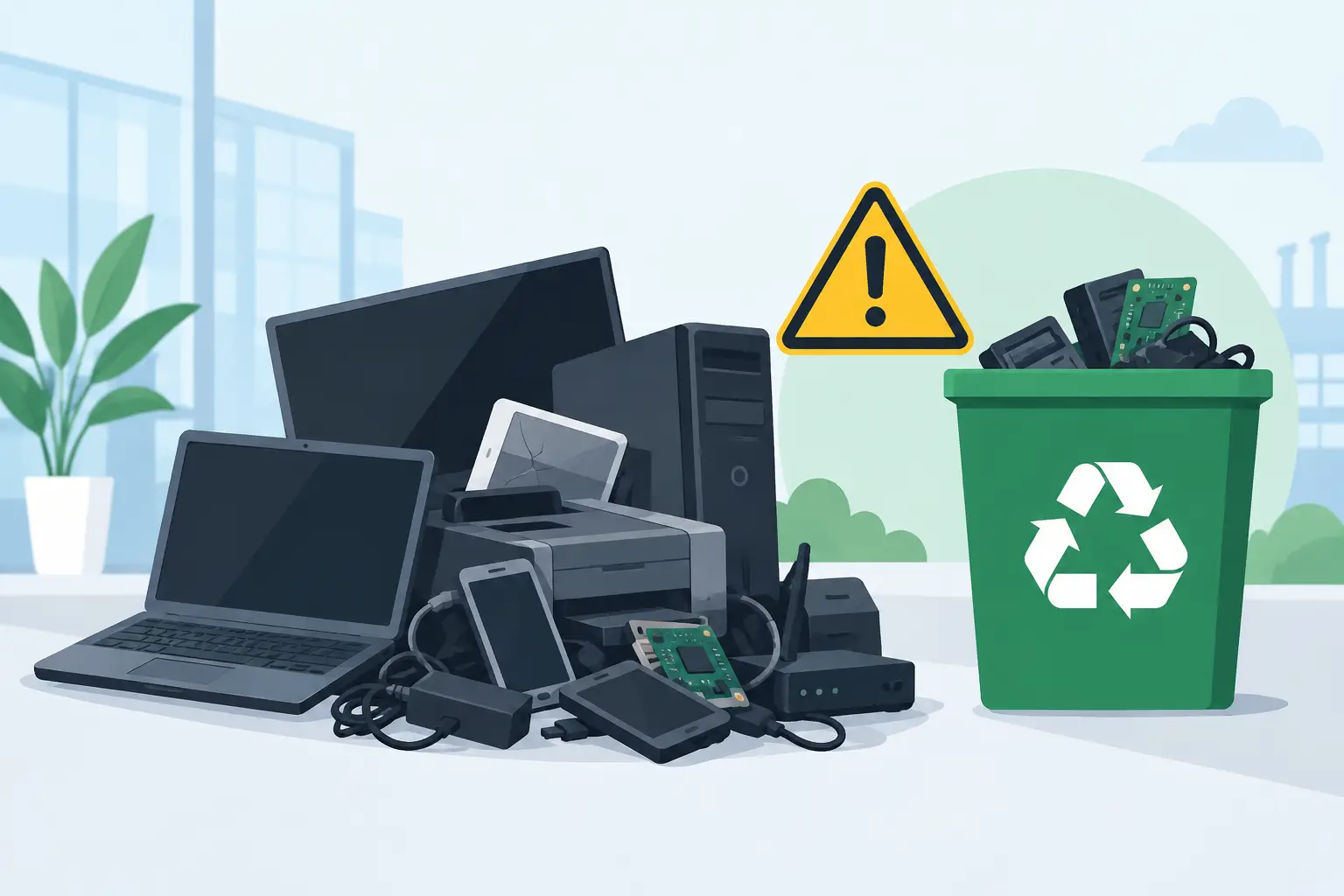
The organization had accumulated equipment over more than a decade. Some systems were still mounted in racks, while others had been moved into a staging area during earlier upgrades. The inventory included rack servers, blade chassis, switches, firewalls, storage appliances, desktop systems used for administration, monitors, cable bundles, and several battery backup units.

The facilities team wanted the room cleared on a fixed schedule so it could be repurposed. IT needed assurance that storage media would not leave the site without an approved data destruction process. Finance wanted any resale-eligible hardware identified before recycling. Management also needed a record showing that material had been handled through a compliant electronics recycling channel rather than discarded with general waste.

The first issue was not loading equipment onto a truck. It was deciding what each asset was, who owned the disposition decision, and whether it contained data.

Why Inventory Comes Before Removal

A rushed cleanout often creates avoidable exposure. A server without visible drives may still contain embedded storage. A network appliance may retain configuration data. A failed storage array can hold dozens or hundreds of drives. Backup tapes, removable media, and loose drives are especially easy to overlook when a room is being cleared quickly.

For this project, the organization created a working inventory before pickup. It did not need to be a perfect historical asset register. It needed enough information to control the final disposition of equipment leaving the facility.

The inventory grouped equipment into practical categories: data-bearing equipment requiring destruction, potentially reusable or buyback-eligible assets, standard e-waste for recycling, and special-handling materials such as batteries. Serial numbers were recorded where available, particularly for servers, storage units, drives, laptops, and network equipment designated for resale or destruction documentation.

This step also identified equipment that was still active. During a data center transition, it is common for a device to look obsolete but remain connected to a legacy application, security system, or building-control function. The IT manager validated shutdown status before any equipment was released for removal.

Setting the Scope With the Recycler

Once the equipment was staged and categorized, the organization provided the recycler with an estimated item count and photos of the room. That allowed the pickup team to plan for labor, cart access, loading conditions, and any equipment that required special handling.

The site had a freight elevator but limited loading-dock time. It also had security requirements for vendor access. Those details mattered as much as the equipment list. A pickup plan that ignores building rules can cause delays, block receiving areas, or leave equipment staged longer than intended.

The cleanout scope included the following distinct material streams:

  • Rack-mounted servers, storage hardware, and network equipment
  • Loose hard drives and failed drives removed from retired systems
  • Desktop computers, monitors, keyboards, and office peripherals
  • UPS units and batteries requiring separate handling
  • Mixed cabling, power distribution equipment, and non-data-bearing electronics

Not every item had the same value or risk profile. Newer enterprise equipment in working condition could be assessed for IT asset liquidation or equipment buyback. Older equipment with limited resale value still required responsible recycling. Drives, regardless of the age of the server they came from, required a documented data destruction decision.

Chain of Custody for Data-Bearing Assets

The organization chose physical destruction for loose drives and drives removed from systems during the cleanout. This was the appropriate choice because the equipment had reached end of life, the organization did not intend to reuse the media, and its internal policy required destruction evidence for retired storage devices.

Before removal, drives were counted and placed in controlled containers. The pickup documentation identified the quantity of data-bearing devices transferred for destruction. This created a straightforward chain of custody from the server room to final processing.

For servers and storage equipment that still contained drives, the project team used a separate staging area. This prevented those assets from being mixed with non-data-bearing equipment. Depending on the organization’s policy, drives may be removed for shredding before a server is recycled or evaluated for resale. The right approach depends on the asset type, resale potential, data classification, and the company’s security requirements.

Physical shredding is often preferred for failed drives, unknown drives, and equipment that cannot be reliably sanitized. In other situations, approved data wiping may support reuse. The key is that the method must be deliberate, documented, and matched to the organization’s policy. Treating every device as ordinary scrap is not a defensible process.

Pickup Day: Keeping the Work Controlled

The pickup was scheduled after the final migration cutoff, with IT and facilities contacts available on site. The recycler’s team checked in through building security, reviewed the approved scope, and began removing staged material in batches.

Equipment was moved from the server room using appropriate carts and handling methods rather than being dragged across floors or stacked unsafely. Rack equipment can be heavy and awkward, particularly older UPS units, populated chassis, and storage systems. If a project includes equipment still installed in racks, the removal plan should clarify whether the client’s staff will de-rack it or whether labor is needed as part of the service arrangement.

The team kept data-bearing containers separate throughout loading. Batteries were also isolated from general electronics because they require a different recycling path. This separation reduced the chance of a drive being missed, a battery being damaged, or a higher-value asset being sent into a mixed load before evaluation.

A final room walk-through was completed with the facilities contact. The purpose was practical: confirm that the approved equipment had been removed, identify anything intentionally retained, and make sure no loose drives, backup media, or peripheral equipment remained behind in racks, cabinets, or under raised-floor areas.

Documentation After the Cleanout

The work was not complete when the truck left the property. The organization needed records that matched its internal asset and compliance requirements. For the data-bearing materials, it retained destruction documentation identifying the completed service. For equipment routed to recycling, it retained pickup and recycling records. Assets reviewed for resale or buyback were handled as a separate disposition category.

This documentation supported several internal needs. IT could close out retired assets. Compliance staff could respond to audit questions. Facilities had a record that the room had been cleared. Finance could reconcile equipment with potential residual value. Just as importantly, the organization had evidence that electronic materials were not sent to landfill or handled through an unknown downstream channel.

For many organizations, the paperwork does not need to be complicated. It does need to be consistent. A signed pickup record, clear asset categories, destruction certificates when applicable, and documented final disposition are more useful than an informal verbal assurance.

What Made This Cleanout Work

The project stayed on schedule because the organization made decisions before pickup day. It identified active versus retired equipment, established who could authorize disposition, separated data-bearing materials, and shared access conditions in advance.

The main trade-off involved resale review. Holding equipment for detailed resale assessment can potentially recover value, but it can also extend the cleanout timeline and consume storage space. In this case, the organization prioritized clearance of the data center while identifying only clearly eligible assets for evaluation. That was a practical decision because the facility deadline was firm.

Another trade-off involved drive removal. Removing every drive on site provides direct control, but it requires time and qualified staff. For a large volume of equipment, organizations should decide early whether drives will be pulled by internal IT staff, processed through an approved destruction service, or handled under another documented method. Waiting until the truck arrives creates unnecessary delay.

Planning Your Own Data Center Cleanout

Before scheduling a pickup, assign an internal project owner and confirm the equipment is truly retired. Create a usable inventory, even if it is only a categorized count with serial numbers for high-risk assets. Flag drives, tapes, mobile devices, network appliances, and any equipment that may store credentials or configuration data.

Then confirm access details with the recycling provider: floor level, elevators, dock access, parking restrictions, security check-in, available staging space, and whether equipment remains racked. If your organization is in San Francisco, Oakland, San Jose, or another Bay Area location with tight loading conditions, these details can determine whether a pickup is efficient or disruptive.

I Got E-Waste works with commercial and institutional clients that need electronics recycling, secure data destruction, and qualified pickup support for retired IT equipment. The most effective projects begin with a clear scope and a documented plan for data-bearing assets.

A cleared data center should leave behind usable space, not unanswered questions about where the equipment went or what happened to the data it contained.

Office Cleanout Recycling Guide for Bay Area Teams

Office Cleanout Recycling Guide for Bay Area Teams

A full storage room is not just a facilities problem. Old laptops, servers, phones, monitors, and network gear can contain confidential information, regulated data, rechargeable batteries, and materials that cannot go in a dumpster. This office cleanout recycling guide helps Bay Area organizations clear retired equipment without creating a data-security or compliance issue in the process.

The practical goal is simple: identify what is leaving the office, separate items that need special handling, document the transfer, and schedule a pickup that does not interrupt work. The details matter because a cleanout may involve more than surplus furniture and paper. A single forgotten hard drive or damaged lithium-ion battery can change the risk profile of the project.

Start the office cleanout recycling guide before moving equipment

Do not begin by rolling every item into a hallway. Assign one person to coordinate the cleanout, usually an IT manager, office manager, facilities lead, or operations contact. That person should establish the scope, confirm which locations are included, and decide who can approve equipment for disposal.

Create a working inventory before equipment is moved. It does not need to be complicated, but it should identify the asset type, quantity, location, condition, and whether it may contain data. For tagged assets, record the asset tag or serial number when your organization needs chain-of-custody documentation. This step prevents a common mistake: recycling equipment that was still assigned to an employee, leased from a provider, or intended for redeployment.

A cleanout also creates an opportunity to separate equipment with remaining market value from equipment that has reached end of life. Recent laptops, functioning servers, business-grade networking hardware, and certain mobile devices may be candidates for IT asset liquidation or buyback. Older, damaged, incomplete, or nonfunctional equipment is usually better routed directly to recycling. The right answer depends on age, condition, configuration, and whether the equipment can be securely processed.

Identify what belongs in an e-waste pickup

Business electronics are often spread across workstations, server closets, reception areas, conference rooms, and locked storage. Include obvious items such as desktop computers, laptops, monitors, printers, keyboards, mice, docking stations, cables, phones, tablets, servers, switches, routers, access points, and external drives.

Look beyond the standard IT inventory. Office cleanouts frequently uncover UPS battery backups, spare batteries, projectors, AV components, barcode scanners, point-of-sale equipment, security cameras, telecom hardware, and older copier accessories. These items should be reviewed separately because their handling requirements can vary.

Keep batteries visible and segregated. Rechargeable batteries, especially swollen, damaged, or loose lithium-ion batteries, should not be mixed casually into boxes of cables and peripherals. Notify the recycling provider about their condition and quantity before pickup. Batteries present transportation and fire risks, so advance notice helps the provider prepare the correct handling process.

Large-format printers, copiers, and certain specialized office machines may require a fee-based disposal service. They are heavier, more complex, and may contain components or consumables that do not belong in a standard electronics load. Asking about these items early avoids a pickup-day surprise.

Protect data before equipment leaves your control

Deleting files, formatting a drive, or resetting a device is not the same as secure data destruction. Data can remain recoverable on hard disk drives, solid-state drives, mobile devices, backup media, USB drives, and network storage equipment. For businesses, that can expose employee records, financial files, client information, passwords, proprietary documents, or regulated data.

First, confirm that needed business records have been migrated and retained according to your organization’s policies. Coordinate with IT before any device is released. A cleanout is not the time to discover that an old server contained the only archived copy of a department’s files.

Next, choose the level of destruction appropriate to the risk. Some organizations need documented data wiping, while others require physical destruction through hard drive shredding. Physical destruction is often the clearest option for failed drives, sensitive media, or devices that will not be reused. It may also fit organizations with internal security requirements or contractual obligations.

Ask for records that match your compliance needs. Depending on the service and equipment, useful documentation may include an inventory, pickup record, certificate of data destruction, or certificate of recycling. The objective is not paperwork for its own sake. It is to show that the equipment moved from your organization to a responsible downstream process.

Do not overlook embedded storage

Data is not limited to laptops and desktop towers. Multifunction printers and copiers can have internal storage. Servers may contain multiple drives. Network appliances, firewalls, and some routers can retain configuration files, credentials, logs, or VPN information. Old smartphones and tablets may still be signed into email, cloud storage, or authenticator applications.

Your IT team should identify these devices before pickup and remove or destroy storage media when required. If devices must remain intact for inventory purposes, clearly mark them for secure processing rather than general recycling.

Prepare the pickup area for safe, efficient loading

Once the inventory and data plan are complete, consolidate equipment in a practical loading area. A ground-floor location near a loading dock or accessible entrance generally reduces labor and delays. If the equipment is in an upper-floor office, basement, or secured server room, communicate that before scheduling so the pickup can be planned correctly.

Keep aisles, exits, and fire doors clear. Do not stack monitors or equipment where they can tip, and do not place loose batteries in open containers. If equipment is being held in a shared building area, make sure it is not accessible to the public. Retired electronics can still be attractive targets for theft, particularly if they contain storage media.

Separate equipment that needs different treatment. For example, place drives designated for shredding apart from devices intended for reuse, resale, or standard recycling. Labeling a few zones is usually enough: “data destruction,” “recycling,” “possible resale,” and “do not remove.” Clear separation reduces mistakes when multiple employees are helping with the cleanout.

For qualified commercial volumes, pickup may be available at no cost. Eligibility commonly depends on the volume, equipment mix, pickup location, and access conditions. Smaller loads or specialized items may involve pickup or disposal charges. A straightforward equipment list and a few details about access allow the recycling provider to explain service terms before the date is set.

Choose a recycler based on process, not just price

The lowest disposal quote is not always the lowest risk. A responsible commercial electronics recycler should be able to explain what it accepts, how it handles data-bearing assets, what documentation is available, and how it manages downstream recycling. Organizations should avoid informal disposal arrangements that offer no records and no clear answer about where equipment goes after collection.

California businesses also need to consider the environmental side of the decision. Electronics contain recoverable materials, but they can also contain components that require controlled handling. Responsible recycling keeps usable materials in circulation and helps prevent improper landfill disposal or illegal overseas dumping.

Ask operational questions that directly affect the cleanout: Is the provider equipped for office, campus, or warehouse pickups? Can it collect servers and network equipment? Is secure hard drive destruction available? Are batteries handled separately? What happens to items with resale value? What documentation will be provided after the job?

For Bay Area organizations managing a commercial cleanout, I Got E-Waste provides business e-waste pickup, secure data destruction, recycling, and asset disposition support for eligible loads. The useful first step is not guessing whether a pile qualifies. It is supplying an accurate list of equipment, the pickup address, and access details so the scope can be confirmed.

Build a repeatable process for the next refresh cycle

A one-time office cleanout often reveals a larger process gap. If obsolete equipment has accumulated for years, the organization may not have a clear retirement workflow. Rather than waiting for the next storage room to fill up, establish a regular review of retired assets after laptop refreshes, server migrations, office moves, and department closures.

Set a designated holding area, limit access, and require IT approval before data-bearing equipment is released. Keep a simple disposition log showing whether an asset was redeployed, sold, recycled, or destroyed. The process can be brief, but it should be consistent across offices and departments.

A clean office is useful. A documented, secure, environmentally responsible cleanout is better. When equipment is sorted before pickup and data handling is planned from the start, the organization can clear valuable space without leaving behind unanswered questions about security or compliance.

The Future of IT Asset Recovery for Bay Area Teams

The Future of IT Asset Recovery for Bay Area Teams

A storage room full of retired laptops, servers, switches, and mobile devices is not just a space problem. It is a data-security, compliance, and financial-control problem waiting for a decision. The future of IT asset recovery is moving organizations away from occasional cleanouts and toward a documented process for recovering value, protecting information, and recycling what cannot be reused.

For Bay Area organizations, this shift matters because technology turns over quickly. A computer may no longer meet an employee’s needs, while still holding usable parts, resale value, or sensitive company and customer data. The right recovery process separates those outcomes before equipment leaves the building.

Why IT Asset Recovery Is Becoming an Operations Function

IT asset recovery has often been treated as the last step in an equipment refresh. New devices arrive, old devices are boxed up, and someone eventually arranges a pickup. That approach creates avoidable risk. Equipment can sit untracked for months, serial numbers can be lost, and hard drives can remain in storage long after the people responsible for them have moved on.

A more practical model treats end-of-life assets as part of the technology lifecycle from the beginning. IT, facilities, finance, procurement, and compliance teams each have a reason to care. IT needs reliable data handling. Facilities needs clear space. Finance may need to account for recovered value. Compliance staff need records showing that electronic material was managed responsibly.

This does not mean every organization needs a complex internal recovery department. It means assigning ownership, using a consistent chain of custody, and selecting a qualified vendor before a storage area reaches capacity. A planned process is generally less disruptive and less expensive than an emergency office cleanout.

The Future of IT Asset Recovery Starts With Better Asset Records

Recovery decisions are only as good as the information attached to each device. Organizations that know the model, serial number, assigned user, condition, storage location, and data-bearing status of an asset can make faster decisions about reuse, buyback, liquidation, or recycling.

The future will bring more automated tracking through asset-management platforms, barcode systems, device-management tools, and procurement records. But software alone does not solve the problem. A device removed from an employee’s desk still has to be checked in, tagged, stored securely, and matched to a disposition decision.

For many organizations, the useful starting point is a simple retirement intake process. When equipment is replaced, document what it is, whether it powers on, whether it contains a hard drive or other storage media, and who approved its release. This creates a workable record even when an organization does not have enterprise asset-management software.

Accurate records also help identify equipment that deserves a different path. A recent business laptop, functioning server, current networking equipment, or a large quantity of standardized devices may have recoverable market value. Older, damaged, or low-demand equipment may be better directed to compliant recycling. Treating all electronics as scrap can leave value on the table, while treating all electronics as resale candidates can waste staff time.

Reuse and Resale Will Remain Selective

The most sustainable outcome is often extending the useful life of a device. If equipment can be securely sanitized, tested, and reused, it can reduce the need for new manufacturing and keep functional electronics in service. Internal redeployment may make sense for training rooms, temporary staff, or lower-performance tasks.

External resale and buyback can also be appropriate, but it depends on the equipment’s age, condition, specifications, market demand, and volume. A small mixed batch of outdated devices may not justify extensive testing and individual resale efforts. In contrast, a scheduled refresh involving many similar, recent devices can support a more organized liquidation strategy.

Value recovery should never override data protection. A device is not ready for resale because a user deleted files or performed a basic reset. Organizations need a defined method for data destruction or sanitization that matches the device type and their internal security requirements. Where physical destruction is required, the process should be documented and performed under controlled handling.

Data Destruction Will Be Tied More Closely to Chain of Custody

Data-bearing equipment is no longer limited to desktop computers and servers. Information may remain on laptops, mobile devices, external drives, solid-state drives, network appliances, copiers, printers, tablets, and backup media. As organizations add more connected equipment, the job of identifying storage media becomes more detailed.

This is one of the clearest changes in the future of IT asset recovery: data security will be evaluated at the asset level, not handled as a generic disposal step. Teams will need to know which items contain data, which are encrypted, which require wiping, and which require physical shredding or destruction.

Chain of custody is central to this work. Before pickup, equipment should be consolidated in a controlled area whenever possible. During collection, the vendor should provide clear documentation of what was received. After processing, organizations should retain the records required by their security policy, audit needs, contract terms, and applicable regulations.

The appropriate level of documentation depends on the organization. A small office retiring several workstations has different needs than a healthcare provider, financial firm, school district, government agency, or company handling customer data. The basic principle is the same: the organization should be able to show what happened to its equipment and how sensitive data was addressed.

Remote and Hybrid Work Add Retrieval Challenges

Distributed work has made asset recovery less centralized. Devices may be at home offices, satellite sites, employee residences, or in transit. When an employee leaves, recovering the laptop is only part of the process. The organization must confirm that the device was returned, removed from management systems when appropriate, assessed for reuse, and routed for secure processing.

This is where standardized return instructions and designated intake locations help. Some organizations will use mail-back programs for individual devices, while others will consolidate returned assets at a central office before scheduling a commercial pickup. The better option depends on geography, volume, equipment type, and the organization’s need for direct custody.

For larger refreshes, office moves, or campus cleanouts, a scheduled pickup is usually more efficient than moving equipment in small batches. It also gives IT and facilities teams an opportunity to inventory assets before they leave the site.

Compliance Will Focus on Proof, Not Promises

Environmental responsibility remains a primary reason to use a professional electronics recycling provider. Computers, monitors, batteries, printers, servers, cables, and network equipment contain materials that should not be sent to a landfill or placed in ordinary trash. California organizations also need to account for state and local requirements that affect electronic waste handling.

The future will place greater emphasis on evidence. Procurement teams and sustainability programs will increasingly ask vendors how materials are handled, where downstream processing occurs, and what documentation is available. Broad claims about being “green” are not enough for organizations with formal environmental, governance, customer, or audit obligations.

A qualified recovery provider should be able to explain accepted equipment categories, pickup requirements, data-destruction options, specialized charges where applicable, and the records provided after service. Direct answers matter. They help organizations plan budgets, avoid surprise fees, and prevent regulated or sensitive materials from being handled through the wrong channel.

For Bay Area businesses, schools, nonprofits, and public agencies, local logistics are also part of compliance in practice. A provider that can coordinate commercial collection efficiently reduces the temptation to store equipment indefinitely or use informal disposal methods when a deadline arrives.

Plan Recovery Around Refresh Cycles, Not Storage Limits

Waiting until a storage room is full gives the organization less control. Equipment is harder to identify, devices may be mixed with unrelated materials, and a rushed pickup can require more staff coordination. Recovery works better when it is tied to known events such as hardware refreshes, office consolidations, lease endings, data-center changes, and employee offboarding.

A useful plan identifies who authorizes disposition, who inventories equipment, how data-bearing devices are separated, where assets are staged, and when the pickup request is made. It should also distinguish between equipment with potential resale value and material intended for recycling. These are operational details, but they determine whether recovery is orderly or reactive.

I Got E-Waste works with commercial and institutional organizations that need practical pickup, secure data destruction, and compliant electronics recycling for retired technology assets. For qualified loads, scheduled pickup can remove a significant logistical burden from IT and facilities teams.

The next retired device should not become another unmarked box in storage. Give it a documented path before it leaves service, and your organization will be better prepared for the technology refresh after this one.

Where to Recycle Office Phones in the Bay Area

Where to Recycle Office Phones in the Bay Area

A retired desk phone can look harmless in a storage room. But an IP phone, conference phone, or company mobile device may still hold contacts, call records, Wi-Fi credentials, extension settings, or access to a communications platform. Knowing where to recycle office phones is therefore not just a facilities question. It is part of your organization’s data security and asset-disposition process.

For Bay Area organizations replacing phone systems, closing an office, or clearing out aging IT equipment, the right destination is generally a commercial electronics recycler that can document chain of custody, support secure data destruction when needed, and process equipment in accordance with applicable recycling requirements. A donation bin, household drop-off event, or landfill is rarely the right answer for business-owned phones.

Where to recycle office phones securely

The most practical option for a business is a B2B e-waste recycler that accepts telecommunications equipment as part of a broader electronics pickup. This works especially well when phones are being retired alongside computers, monitors, servers, switches, routers, cables, batteries, or other office hardware.

A commercial recycler can coordinate pickup from an office, warehouse, school, campus, or data center rather than requiring staff to transport boxes of equipment across town. For organizations with qualified volumes of accepted electronics, pickup may be available at no cost. Smaller loads, specialty equipment, or items with additional handling requirements may involve a fee, so confirm the service terms before scheduling.

In the San Francisco Bay Area, I Got E-Waste provides commercial pickup and electronics recycling for organizations managing obsolete IT and office equipment. The key is to describe the phones and the rest of the load accurately when requesting service. A batch of standard desk phones is different from a pallet of network-connected IP phones, damaged lithium-battery devices, or phones that remain assigned to active employees.

Identify the phones before arranging disposal

“Office phone” covers more than one equipment category. Separating the equipment by type helps determine what must happen before collection and whether a data-destruction service is appropriate.

Traditional corded analog phones usually have limited stored information. Even so, they are electronic equipment and should be recycled, not sent to the trash. Digital PBX handsets and IP/VoIP phones may contain local configuration data, extension details, call logs, contacts, certificates, or credentials. Conference phones can store directories and wireless settings. Company-issued smartphones have the highest data-risk profile because they may contain email, authentication apps, text messages, photos, mobile-device-management profiles, and saved browser sessions.

Do not assume that a factory reset solves every issue. A reset can be useful, but it is only one control. The appropriate process depends on the phone model, its storage capacity, the information it handled, and your organization’s internal security policy. For sensitive devices, physical data destruction or a documented data-erasure process may be required.

Check whether the phone is leased or still in service

Before recycling, verify ownership. Some telecom providers and equipment vendors require leased handsets, managed devices, or rented conference systems to be returned. Recycling equipment that belongs to a provider can create replacement charges and complicate contract closeout.

Also confirm that the device has been removed from your phone system, mobile-device-management platform, and asset inventory. For IP phones, this may include deprovisioning the extension, removing certificates, revoking device access, and documenting the equipment’s serial number. For mobile devices, remove them from carrier, management, and authentication systems before they leave your control.

Prepare office phones for a secure pickup

Good preparation reduces the chance of missed devices, untracked assets, and last-minute delays. Assign one person from IT, facilities, or operations to coordinate the equipment list and confirm which phones need standard recycling versus documented data destruction.

Before pickup, complete these steps:

  • Disconnect phones from power, Ethernet, chargers, and telephone lines, then bundle accessories separately when practical.
  • Remove SIM cards, SD cards, removable batteries, and external storage from mobile devices or wireless equipment.
  • Deprovision IP phones, softphone hardware, conference systems, and mobile devices from active services.
  • Record asset tags, serial numbers, quantities, and department ownership when your asset-management policy requires it.
  • Keep devices awaiting pickup in a controlled area rather than an open hallway, loading dock, or public recycling bin.
  • Flag damaged, swollen, leaking, or loose batteries before collection so they can be handled appropriately.

This does not need to become a complicated project. For a small office refresh, a simple spreadsheet and labeled boxes may be enough. For a multi-site replacement or a large PBX migration, coordinate the phone retirement schedule with IT, security, procurement, and facilities so no active device is discarded by mistake.

Ask the recycler the questions that matter

Not every place that accepts electronics is equipped for commercial telecommunications assets. A responsible vendor should be able to explain what happens after pickup, how materials are processed, and what documentation is available.

Start with data handling. Ask whether the provider offers secure data destruction, device shredding, or documented erasure for phones that store information. If a certificate or destruction record is required for compliance, audits, client obligations, or internal policy, establish that requirement before collection. Do not rely on a verbal assurance after the equipment has already left the building.

Next, ask about downstream recycling. Your organization should know that usable equipment is evaluated appropriately and that nonworking electronics are sent through responsible channels rather than dumped illegally or exported in violation of applicable rules. Phones contain recoverable materials such as copper, circuit boards, plastics, and metals. Proper recycling keeps those materials out of landfills and supports safer recovery.

Finally, confirm logistics. Ask whether the company handles your building type, whether staff need to palletize or box equipment, what pickup volume qualifies for free service, and whether there are charges for small quantities or special items. If your load includes batteries, printers, copiers, or large-format equipment, disclose them upfront because these categories can have different handling requirements.

When reuse or buyback may make sense

Recycling is not always the first option. Newer, working IP phones, wireless conference systems, and company smartphones may have resale or reuse value, particularly when there are enough matching units to make testing and remarketing worthwhile. IT asset liquidation or equipment buyback can offset part of a technology-refresh budget.

The trade-off is time and condition. A mixed collection of outdated handsets, missing power supplies, damaged devices, and unknown lock status may not be worth reselling. In that case, recycling is usually faster and more predictable. If resale is considered, establish who verifies functionality, removes data, confirms ownership, and approves the final disposition.

Reuse should never bypass security controls. A phone with residual configuration data or active enrollment is not ready for resale, donation, or internal reassignment. Data handling comes first, even when the device still has market value.

Common mistakes to avoid

The most common mistake is treating office phones as ordinary office trash because they are small and inexpensive. This can put electronics and batteries into the waste stream and leave your organization without a disposition record. Another mistake is collecting phones for months in an unlocked storage closet. The longer devices sit without ownership or inventory control, the more likely they are to disappear or be discarded improperly.

Organizations also run into trouble when they schedule a pickup without identifying what is in the load. A recycler needs an accurate picture of quantities, equipment types, access conditions, and any special handling needs. Clear information allows the pickup to be planned correctly and prevents unexpected charges or service delays.

For a single outdated desk phone, local electronics collection options may be available, but organizations should still follow their internal asset and data policies. For a room full of handsets, a phone-system upgrade, or mixed end-of-life IT equipment, commercial pickup is usually the more controlled approach.

A clear retirement process turns a pile of obsolete phones into a closed operational task: devices are removed from service, data is addressed, equipment is documented, and materials are handled responsibly. Schedule collection before the storage room becomes the next problem your team has to solve.

Fremont Electronics Pickup Service for Businesses

Fremont Electronics Pickup Service for Businesses

A Fremont electronics pickup service is most useful when retired equipment has started taking over a server closet, storage room, loading area, or unused office. Old computers, monitors, switches, printers, and mobile devices do not become less risky by sitting longer. They still contain materials that require proper recycling, and many may still hold company, employee, student, or customer data.

For Fremont businesses, schools, nonprofits, and public agencies, the practical goal is not simply to get equipment out of the building. It is to move it out in a controlled way that protects data, supports environmental compliance, and does not create a major logistics project for the team responsible for it.

When an electronics pickup is the right option

Pickup service is generally the best fit for organizations with a meaningful volume of equipment, recurring refresh cycles, or equipment that is difficult to transport safely. An office manager may be clearing out a storage room after a move. An IT manager may be replacing employee laptops and networking equipment. A school or municipal department may be retiring computer lab equipment across several rooms.

In each case, using a commercial pickup service reduces the need to load business electronics into personal vehicles, make multiple disposal trips, or ask staff to handle equipment outside their normal responsibilities. It also creates a clearer chain of handling from collection through recycling and data destruction.

Free pickup may be available for qualified loads that meet minimum volume requirements. Smaller quantities, unusual items, or equipment requiring specialized disposal may involve a service charge. That distinction matters when planning a project. A quick inventory before requesting service helps determine whether the load qualifies and prevents surprises on pickup day.

What to prepare before scheduling Fremont electronics pickup service

The fastest way to organize a pickup is to identify what you have, where it is located, and whether any devices still contain data. You do not need a perfect asset spreadsheet for every project, but an accurate overview makes scheduling easier and helps the recycling provider send the right resources.

Start by separating equipment into broad categories. Common business e-waste includes desktop computers, laptops, servers, monitors, hard drives, network switches, routers, phones, tablets, keyboards, mice, cables, power supplies, and peripherals. Batteries should be identified separately because they require specific handling. Large-format printers, copiers, and other oversized equipment should be disclosed in advance, since they may require specialized disposal and can carry additional charges.

Next, note the pickup conditions. Is the equipment already palletized or boxed? Is it on a ground-floor loading dock, in a suite with elevator access, or distributed across several floors? Are there parking restrictions, security procedures, or a building contact that the pickup crew needs to know about? These details are operational, but they affect timing, staffing, and the overall cost of the project.

Finally, assign one point person. The pickup contact should be able to provide access, confirm the equipment being removed, and answer basic questions on site. This avoids delays when an IT team, facilities team, and property manager are all involved.

Data security should be addressed before equipment leaves

Retired electronics are often treated as clutter, but storage devices deserve a different level of attention. A laptop that no longer boots, a server removed from a rack, or a phone with a cracked screen may still contain recoverable information. That can include saved credentials, customer records, financial files, internal documents, employee information, and system configurations.

A sound disposition plan identifies data-bearing devices before pickup. Hard drives, solid-state drives, servers, laptops, desktop computers, mobile devices, and some network equipment may all require review. The right method depends on the device, the sensitivity of the data, the organization’s policy, and any contractual or regulatory obligations.

For some organizations, standard equipment recycling is appropriate after internal data handling procedures have been completed. For others, secure data destruction or physical hard drive shredding is the clearer option. This is particularly common for healthcare-adjacent organizations, financial operations, law offices, schools, government departments, and companies managing confidential customer records.

Ask for the service that matches your internal requirements, and keep disposal records with your asset-management documentation. If your organization needs destruction documentation, establish that requirement before scheduling rather than trying to reconstruct details after equipment has been collected.

Accepted equipment and items that need advance notice

Most office and IT refresh projects involve a mix of standard electronics. Computers, laptops, monitors, servers, networking gear, cables, mobile devices, and common peripherals are typical pickup items. Mixed loads are normal, especially when an organization has accumulated equipment over several years.

The items that cause the most planning issues are usually the oversized or specialized ones. Copiers, large-format printers, certain batteries, and unusually heavy equipment may require separate pricing, additional labor, or specific preparation. Do not assume that every item is included in a free pickup simply because it is electronic.

This is where a detailed request saves time. Provide approximate quantities and call out anything unusually large, damaged, heavy, or difficult to access. If equipment is still installed, such as a server rack or wall-mounted device, clarify whether your staff will disconnect it before the pickup. Recycling crews can remove collected equipment, but deinstallation work should never be assumed without confirming the scope in advance.

Avoid the common mistakes that slow down collection

The most preventable issue is waiting until a move-out date or lease deadline to request pickup. When equipment must be removed immediately, organizations have fewer options and less time to confirm data destruction, access requirements, and item eligibility. Schedule as early as practical, especially for multi-floor offices, campuses, or large IT refreshes.

Another mistake is mixing business assets with items that are not ready for disposal. Employees sometimes place active devices, personal belongings, leased equipment, or equipment awaiting repair into a recycling pile. Use a clearly marked staging area and have a responsible team member review it before pickup.

Organizations also lose time by leaving equipment scattered. Consolidation is not always necessary, particularly for a large project, but grouping items by floor, department, or equipment type can make the collection more efficient. Keep aisles, exits, and loading paths clear. Do not stack equipment in a way that creates a safety issue for employees or pickup personnel.

Recycling compliance is part of the service, not an afterthought

Electronics contain reusable materials, but they can also contain components that should not go to a landfill. Responsible recycling is about more than clearing space. It means routing equipment through proper channels and avoiding disposal practices that create environmental or reputational risk for the organization that generated the material.

A commercial recycler should be able to explain how it handles collected e-waste and how it supports applicable state and federal recycling requirements. For organizations with sustainability goals, this process also helps demonstrate that retired technology was managed through a responsible disposition path rather than discarded as general waste.

Cost control matters here, too. The cheapest-looking option is not always the lowest-risk option. A vendor that cannot clearly address data handling, specialized items, pickup qualifications, or downstream recycling practices can create more work later. The better decision is the one that fits the equipment volume, security requirements, access conditions, and documentation needs of the organization.

A practical way to request service

When submitting a pickup request, provide your Fremont location, estimated quantity of equipment, item categories, floor or loading access details, and whether you need data destruction. Include any oversized equipment or batteries in the initial description. If the load may qualify for free pickup, this information allows the provider to evaluate eligibility without repeated follow-up.

I Got E-Waste, Inc. serves commercial and institutional clients with e-waste pickup, secure data destruction, and responsible recycling throughout the Bay Area. The service is designed for organizations that need a clear process for moving obsolete technology out of their facilities while addressing data security and proper disposal.

Before the scheduled collection, confirm that devices intended for recycling are clearly separated from active assets and that the designated contact will be available. That small amount of preparation turns a cluttered equipment problem into a controlled handoff, leaving your team with usable space and a more defensible process for retired technology.

Top Signs Equipment Needs Retirement at Work

Top Signs Equipment Needs Retirement at Work

A server closet filled with retired laptops, failed drives, spare monitors, and obsolete network gear is not a storage solution. It is a growing operational, security, and compliance issue. Knowing the top signs equipment needs retirement helps your organization replace assets before they interrupt work, expose sensitive data, or turn into a difficult disposal project.

For office managers, IT teams, schools, and facilities departments, retirement decisions should not rely on whether a device still powers on. The more useful question is whether the equipment remains secure, supportable, productive, and worth the cost of keeping in service.

Top Signs Equipment Needs Retirement

The manufacturer no longer supports it

End-of-support dates are often the clearest retirement trigger. When a manufacturer stops providing security patches, firmware updates, replacement parts, or technical support, an asset can become a liability even if it appears to work normally.

This matters most for computers, servers, firewalls, switches, mobile devices, and operating systems that access business systems or store confidential information. An unsupported laptop used only for basic documents may seem harmless, but it can still be an entry point to your network. An unsupported firewall or server presents a more immediate risk because it may protect or process data for many users.

Support status should be tracked in your asset inventory. If a device is approaching end of support, plan its replacement and disposition before the deadline rather than waiting for a failure.

Repairs are becoming routine instead of occasional

Every business asset needs some maintenance. Retirement becomes the practical choice when repair tickets, replacement components, or downtime start occurring regularly. A laptop with a failing battery is one issue. A laptop that has needed a battery, keyboard, storage drive, charging port, and repeated operating system repairs over the past year is telling you something different.

Consider the full cost, not just the latest repair invoice. Include staff time, lost employee productivity, emergency replacement purchases, shipping, loaner equipment, and the cost of holding spare parts. For servers and network equipment, include the risk of a failure during business hours and the potential impact on operations.

A repair may still be justified when the asset is relatively new, remains under support, and has a clear resale or redeployment value. It is less justified when the hardware is aging, parts are hard to source, and another failure is likely soon.

Performance problems are affecting work

Slow startup times, frequent freezes, dropped network connections, storage warnings, overheating, and application crashes are not always reasons for immediate retirement. They may result from insufficient memory, a failing drive, outdated configuration, or a software issue that can be corrected.

But recurring performance problems across multiple devices often indicate that an equipment class has reached the end of its useful life. Employees then work around the technology: restarting machines, avoiding updates, delaying video meetings, or saving files locally because network access is unreliable. Those workarounds consume time and create inconsistent processes.

For shared infrastructure, performance degradation can be even more disruptive. A server that cannot handle current workloads or a switch that cannot meet network speed requirements may slow down an entire department. Replace critical infrastructure before capacity limitations become an outage.

The equipment cannot meet current security requirements

Security standards change faster than many hardware replacement cycles. Older equipment may lack encryption capabilities, secure boot support, modern authentication options, current wireless protocols, or the ability to run approved operating systems and endpoint protection tools.

This issue is especially relevant for organizations handling employee records, customer information, financial data, student data, health information, or government-related records. If your policies require full-disk encryption, centralized device management, multifactor authentication, or current security software, equipment that cannot support those controls should be removed from active use.

Do not move a noncompliant device into a lower-risk role without evaluating that role carefully. A retired laptop placed in a reception area, conference room, or staff break room can still connect to your network or retain data from its former user.

It no longer fits your operating environment

Equipment can be functional and still be the wrong fit. A desktop may lack the ports needed for current peripherals. A copier or printer may no longer work with your managed print setup. An older server may require a physical footprint and power draw that no longer makes sense after a move to cloud services or virtualized infrastructure.

Changes in staffing, hybrid work, software requirements, office layouts, and network design can all shorten an asset’s useful life. This is why retirement planning should be tied to business changes, not only to equipment age.

When evaluating fit, ask whether the asset supports the way your organization works now, not the way it worked when the asset was purchased.

Power use and operating costs are difficult to justify

Older servers, displays, printers, and network devices can consume more electricity and generate more heat than newer alternatives. In a large office, school, or multi-site organization, that cost can add up. Older equipment may also require specialized supplies, maintenance contracts, or legacy software licenses.

Energy use alone does not always require retirement. A lightly used device may have a small impact, while a replacement purchase has its own cost and environmental footprint. The stronger case is when high operating costs combine with poor performance, difficult maintenance, or security limitations.

The device is sitting unused because no one trusts it

Unused equipment is often treated as harmless inventory. In reality, it can become a data-retention problem. Old laptops, desktop computers, servers, external drives, smartphones, tablets, and multifunction printers may still contain files, credentials, user profiles, scanned documents, or network settings.

If equipment has been moved to a storage room because it is unreliable, outdated, unassigned, or simply forgotten, it should be reviewed. Identify the asset, determine whether it contains data, document its disposition, and move it through an approved retirement process. Do not let retired IT assets accumulate indefinitely because a future use is possible but undefined.

Retirement Is a Process, Not Just a Pickup

Once equipment is identified for retirement, secure handling matters as much as the replacement decision. Organizations should create a consistent process that begins before devices leave the building.

Start by recording the asset tag, serial number, assigned user or department, and reason for retirement. Your records do not need to be complicated, but they should show what was removed from service and when. This supports inventory accuracy, budget planning, audit preparation, and internal accountability.

Next, separate equipment by disposition path. Some newer computers, servers, network gear, and mobile devices may have resale or buyback value. Others are better candidates for recycling. Equipment with failed drives, damaged screens, or obsolete specifications may not have recovery value, but it still requires responsible handling.

Protect data before equipment changes hands

Data destruction should be planned for any device that stores information, including laptops, desktops, servers, hard drives, solid-state drives, mobile devices, USB media, and some printers and copiers. Simply deleting files or resetting a device is not always enough for organizational data-security requirements.

The appropriate destruction method depends on the media type, the sensitivity of the information, your regulatory obligations, and whether the device will be reused. A working drive may be securely wiped under a documented process when reuse is appropriate. Physical destruction or shredding may be the better choice for failed media, highly sensitive records, or situations where reuse is not permitted.

Make the decision before pickup day. Pulling drives at the last minute, assigning responsibility informally, or leaving locked devices mixed into a general equipment pile creates avoidable gaps.

Use a compliant recycling channel

Business electronics should not be placed in the trash or mixed with ordinary recycling. Electronics can contain materials that require specialized processing, and improper disposal can expose an organization to environmental and data-security concerns.

A commercial recycling provider should be able to handle the categories in your load, explain pickup requirements, and provide a documented process for data destruction when requested. Confirm how mixed equipment, batteries, large-format printers, copiers, and specialty items are handled, since some items may have separate service charges or preparation requirements.

For organizations with qualified volumes, a scheduled commercial e-waste pickup can clear storage areas without requiring staff to make multiple trips or coordinate disposal across several departments. Smaller loads may require a fee-based pickup, which can still be more practical than keeping retired equipment on site.

Build Retirement Into Your Asset Plan

The best time to plan equipment retirement is when assets are purchased or deployed. Record the acquisition date, warranty end date, expected replacement cycle, user assignment, and support status. Then review the inventory at least annually, with more frequent reviews for security-sensitive infrastructure.

Create a replacement forecast rather than waiting for a wave of failures. A phased approach is usually easier on budgets and operations. For example, replacing one department’s oldest laptops each quarter can be more manageable than responding to dozens of urgent failures at once.

It also helps to designate a temporary holding area for retired electronics. Keep it access-controlled, clearly labeled, and separate from equipment that is still available for deployment. This prevents retired assets from being returned to service by mistake and keeps devices with possible data from becoming untracked clutter.

For Bay Area organizations, I Got E-Waste can support commercial electronics recycling, secure data destruction, and asset disposition for retired IT equipment. The practical goal is straightforward: remove obsolete assets from your workspace, protect the data they may contain, and send materials through a responsible disposal process.

Retiring equipment at the right time is not wasteful. Keeping unsupported, unreliable, or unsecure technology in service usually costs more than it saves. A clear review process gives your team time to replace what matters, recover value where possible, and handle the rest without leaving data or electronics in storage indefinitely.