

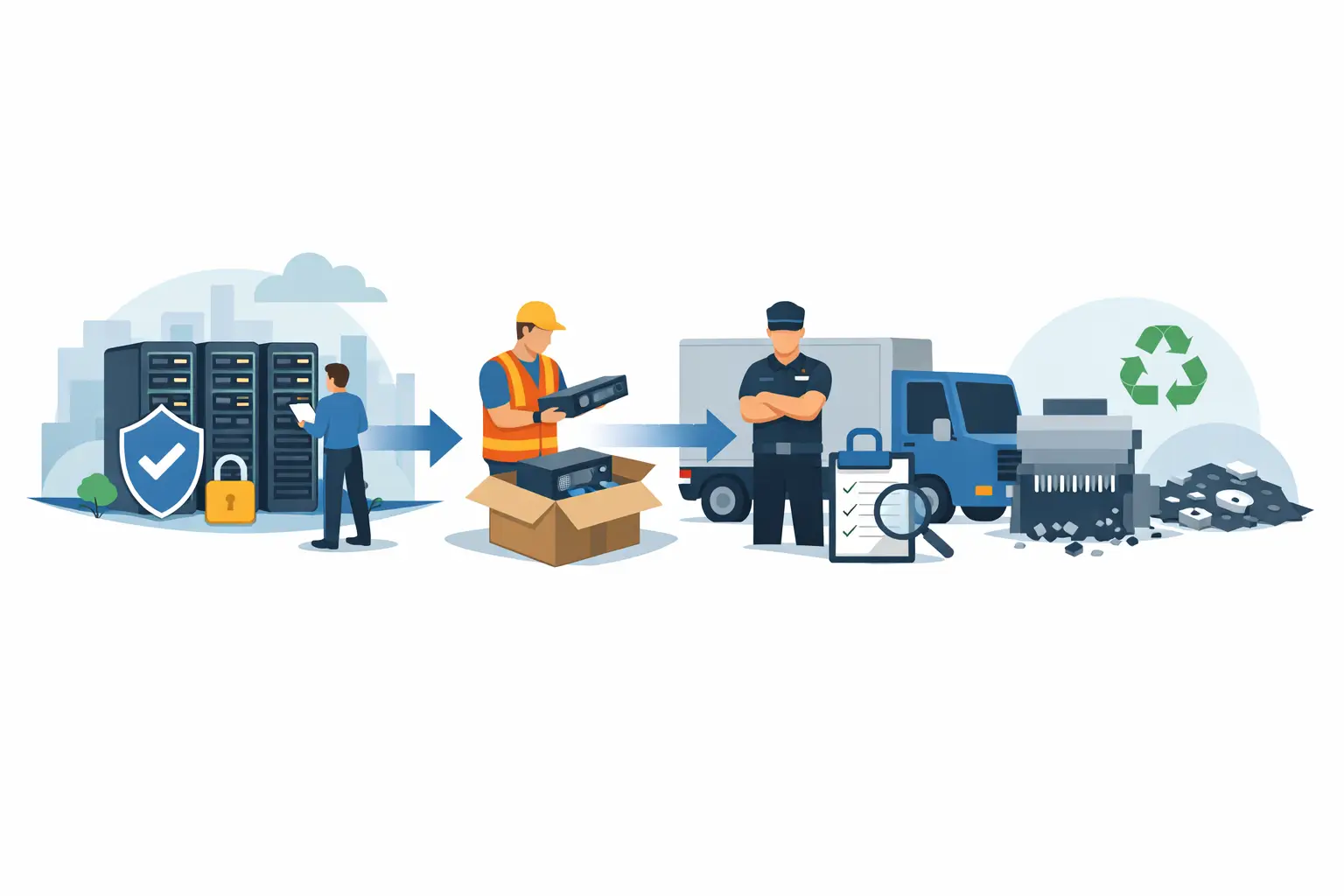
A retired server can remain a business risk long after it leaves the data center. It may contain customer records, employee data, application credentials, encrypted backups, or configuration files that reveal how your network operates. A documented server disposal chain of custody establishes who handled that equipment, when it changed hands, how data was destroyed, and where the materials ultimately went.
For IT, facilities, and operations teams, this is not paperwork for paperwork’s sake. It is the record that supports a defensible answer if a server goes missing, a drive is discovered with readable data, or an auditor asks how retired assets were managed.
What a Server Disposal Chain of Custody Must Show
Chain of custody is a continuous record of possession and control. It starts when the organization identifies a server for retirement and ends when the device or its components have been reused, recycled, or destroyed through documented channels.
The record should make the equipment traceable at every meaningful handoff. That includes removal from a rack, transfer to a staging area, pickup by a recycling or data destruction provider, transport, processing, and final disposition. The level of detail should match the organization’s risk profile. A small office may need a straightforward asset list and certificate, while a hospital, financial institution, school district, or government agency may need serial-number-level tracking and formal signoffs.
A useful chain of custody typically documents:
- The organization releasing the equipment and the authorized employee responsible for it
- Asset descriptions, quantities, serial numbers, or internal asset tags
- The date, time, and location of each transfer
- The receiving party and, when applicable, the driver or technician handling pickup
- The data destruction method, final recycling outcome, and certificates provided
A pickup receipt alone is not a complete chain of custody. It confirms that material was collected, but it may not identify individual servers, establish how data-bearing components were handled, or show final destruction and recycling results.
Start With an Accurate Server Inventory
The strongest disposal process begins before a vendor arrives. IT should identify each server, its owner, physical location, serial number, asset tag, and assigned disposition. If the equipment contains removable drives, document the drive count and the serial numbers when practical. This matters because a server chassis can be recycled while one missing hard drive creates a separate data-security incident.
Inventory work also helps determine what should be retained, redeployed, sold, wiped, or physically destroyed. Some newer servers, network appliances, and components may have residual value. Asset liquidation or buyback can offset replacement costs, but only after the organization confirms that all storage media will be securely sanitized or removed.
Do not rely solely on a spreadsheet that was last updated years ago. Compare records against the actual equipment in the server room or storage area. Retired hardware is often moved between closets, offices, and campuses before disposal. Those informal moves are where custody records commonly break down.
Control the Equipment Before Pickup
Once assets are marked for disposal, place them in a designated, access-controlled staging area. Servers should not be left in a loading dock, common hallway, unlocked storage room, or office lobby while a pickup is being arranged. Physical security is part of the chain of custody.
For larger projects, designate one employee to release equipment and one backup contact. That person should verify the count against the inventory, confirm what is being removed, and sign the pickup documentation. If the load includes servers, storage arrays, backup appliances, or loose drives, state that clearly on the service request and receiving paperwork.
The pickup process should also account for practical site conditions. A server rack on an upper floor may require building access approval, elevator reservations, loading dock coordination, or after-hours scheduling. Planning these details reduces the temptation to stage sensitive equipment in an unsecured area for convenience.
For Bay Area organizations consolidating offices or retiring a data closet, a coordinated commercial pickup can prevent equipment from sitting in storage while teams wait for an informal solution. The key is to treat removal as a controlled transfer, not a cleanup task.
Secure Transport Is a Custody Event
The moment a server leaves your premises, your organization needs proof of who accepted responsibility for it. The pickup record should identify the service provider, date of collection, equipment categories, quantities, and the authorized signatures involved. If your internal policy requires it, record vehicle information or obtain a driver acknowledgment as well.
Ask how servers and loose media are secured in transit. Procedures vary by provider and project type, but the basic expectation is clear: sensitive equipment should be protected from unauthorized access, loss, and mix-ups between pickup and processing. Consolidated loads need particularly careful labeling because servers from multiple offices may arrive at the same facility.
There is a trade-off between collecting every serial number at pickup and maintaining an efficient workflow. For a high-volume office cleanout, a categorized count may be reasonable for low-risk peripherals. For servers and data-bearing devices, serial-level records are usually worth the additional effort.
Match Data Destruction to the Risk
A server disposal chain of custody should connect each data-bearing asset to a specific destruction or sanitization method. “Recycled” does not tell you whether the information on a drive was made inaccessible.
Logical data wiping may be appropriate for functioning drives intended for reuse or resale, provided the method aligns with your company policy and the media is successfully verified. Physical destruction is often preferred for failed drives, highly sensitive information, or equipment that cannot be reliably wiped. Methods may include hard drive shredding or other physical destruction processes that render the media unusable.
Servers can contain more storage than teams expect. Check internal hard drives, removable drive trays, solid-state drives, RAID arrays, embedded flash storage, backup modules, and management controllers. A server may be powered down and removed from service, yet still contain several data-bearing components.
Your final documentation should identify the destruction service performed and provide a certificate of data destruction when that service is requested. Confirm whether certificates list individual serial numbers, asset tags, or a batch reference. Batch certificates can be suitable for some projects, but organizations subject to stricter audit requirements may need asset-level detail.
Final Disposition Still Matters
Data destruction is only one part of responsible server disposal. The remaining chassis, circuit boards, power supplies, cables, and batteries must be processed through compliant electronics recycling channels. Servers contain recoverable metals and components, but they also contain materials that should not be sent to a landfill or handled through undocumented downstream outlets.
Ask your provider how equipment is sorted, whether reusable assets are evaluated separately, and how non-reusable materials are managed. A responsible process should maintain clear downstream accountability and follow applicable state and federal recycling requirements. This reduces environmental exposure as well as reputational risk.
If equipment has resale value, the chain of custody should distinguish between assets designated for resale and assets designated for destruction. Reuse can be a sound environmental and financial outcome, but it should never bypass verified data sanitization.
Where Custody Records Commonly Fail
Most failures are operational, not technical. An employee removes drives before pickup but does not update the inventory. A vendor receives 20 servers, while the internal record says 22. A certificate arrives months later with a vague equipment description. Or a storage room is cleared by a moving company that was never authorized to handle data-bearing assets.
These gaps are preventable when responsibilities are assigned in advance. IT should define the data handling standard. Facilities or office management should coordinate access and pickup logistics. Procurement, compliance, or records teams should retain the final documents according to company policy. One person does not need to do every task, but ownership should be clear.
Before scheduling service, confirm that your disposal provider can support the documentation your organization actually needs. Ask whether they provide itemized pickup records, secure data destruction options, certificates, and documented recycling. If the answer is unclear, the process will likely be unclear when an audit or incident occurs.
A complete chain of custody gives your organization more than a clean server room. It provides a practical record that sensitive equipment was controlled from retirement through final disposition, with data security and environmental responsibility accounted for at every handoff.
