
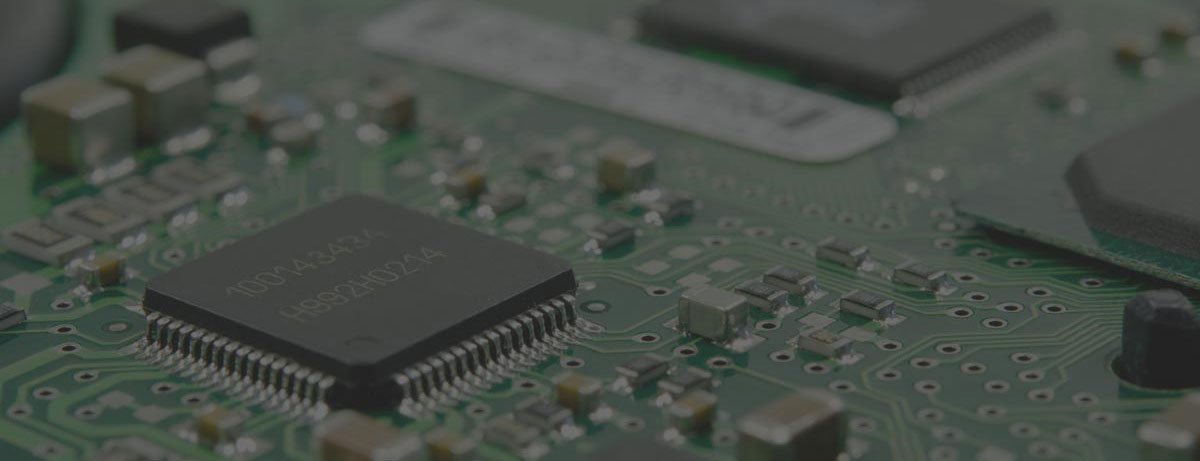

A back storage room full of retired laptops, dead UPS units, tangled network cables, and a copier no one wants to claim usually means the same thing – disposal has been delayed too long. This Bay Area e-waste pickup guide is built for organizations that need a practical way to clear obsolete electronics while staying on top of data security, environmental rules, and pickup logistics.
For most businesses, schools, nonprofits, and public agencies, e-waste is not just a junk removal problem. It is an asset disposition issue. Some devices hold sensitive data. Some contain regulated materials. Some may still have resale or recovery value. And some are expensive to move unless the pickup is planned correctly. The right approach depends on volume, item type, and whether secure destruction is part of the job.
Bay Area e-waste pickup guide: start with what you have
Before requesting service, separate your electronics by broad category. Keep computers, laptops, servers, monitors, networking equipment, phones, batteries, peripherals, and print equipment distinct if possible. This does two things. It gives the recycler a clear picture of what needs to be handled, and it helps you spot items that may fall under special processing rules or additional charges.
For commercial pickups, volume matters. Many providers offer free pickup only when an organization meets a minimum load threshold. That makes sense operationally. A palletized office cleanout or a multi-floor IT refresh is usually efficient to route. A few loose items from a small office may not be. If your load is below the minimum, a fee-based pickup may still be available, but you should expect that cost to be part of the conversation up front.
This is where many internal teams lose time. Someone says, “We only have a few things,” and then the actual count turns out to be twenty desktops, fifteen monitors, a rack switch, two battery backups, and a broken copier. A simple internal count before scheduling avoids delays and pricing surprises.
What businesses can usually include in a pickup
Most commercial e-waste pickups accept standard IT and office electronics. That generally includes desktop computers, laptops, servers, hard drives, switches, routers, firewalls, telecom gear, LCD monitors, docking stations, keyboards, mice, printers, cables, and similar accessories. Mobile devices and tablets are commonly accepted as well, especially when they are part of a larger business load.
The important qualifier is “usually.” Acceptance is not the same as no-cost handling. Some items are straightforward to collect and process. Others cost more to transport, dismantle, or recycle. Large copiers, floor-standing printers, damaged batteries, CRT displays, and certain specialized medical or industrial electronics often require separate review. If your organization is clearing a mixed load, call out those items early.
That matters even more during office moves, warehouse cleanouts, and campus consolidations. These projects often uncover electronics that were never part of the original inventory, including old AV equipment, telecom closets, point-of-sale systems, and miscellaneous adapters stored for years. Operationally, it is better to disclose everything in advance than to create a dock-side decision on pickup day.
Data destruction changes the pickup plan
If any device has stored data, pickup should not be treated as simple recycling. Desktops, laptops, servers, hard drives, SSDs, backup devices, copiers, and even some network appliances may hold sensitive information. For businesses, schools, and agencies, this is where e-waste disposal becomes a compliance and risk issue.
You generally have two paths. One is logical data destruction, where data is wiped according to an accepted standard when the device is intended for downstream reuse or remarketing. The other is physical destruction, usually shredding or crushing storage media, when the organization requires confirmed destruction. Which path makes sense depends on your internal policy, the equipment type, and whether the asset has residual value worth preserving.
There is a trade-off here. Physical shredding is strong from a security standpoint, but it eliminates reuse potential for the drive. Wiping may support asset recovery and sustainability goals, but it must be done under controlled procedures. If your legal, procurement, or IT team has a written media handling policy, share it before the pickup is scheduled. That prevents last-minute confusion when equipment reaches the loading area.
When free pickup makes sense and when it does not
A lot of organizations search for free e-waste pickup first, and that is reasonable. But free pickup is usually based on route efficiency and material value, not on a universal rule. A qualified load with business-grade computers, laptops, servers, and networking gear may be eligible. A very small load or one dominated by labor-intensive items may not be.
The practical way to think about this is simple. Free pickup tends to work when the recycler can service the stop efficiently and process the material mix without unusual cost. Fee-based service tends to apply when the stop is too small, too far off route, or includes items with negative recycling value. Neither is inherently a problem. The problem is assuming everything is free and then trying to sort it out after the truck arrives.
If your team is planning a recurring refresh cycle, it is worth organizing pickups around larger accumulation points rather than scheduling one-off collections for a handful of devices. That often improves cost control and reduces administrative effort.
Bay Area e-waste pickup guide for smooth scheduling
A good pickup request answers operational questions before anyone has to ask. State the site address, preferred dates, building access details, elevator or dock conditions, and whether the material is boxed, loose, palletized, or still deployed. Include an item count by category, not just “office electronics.” If data destruction is required, say so clearly.
For multi-site organizations, decide whether you want one consolidated pickup request or site-by-site coordination. A single request can simplify communication, but it only works if each location has a contact person and a reasonably accurate item list. If one branch office is ready and another still has equipment in use, separate scheduling may be cleaner.
The same goes for internal prep. Some businesses want their staff to disconnect and stage everything before pickup. Others need the vendor to collect from rooms, closets, or multiple floors. That affects labor, timing, and route planning. Be direct about what level of service you need.
Common mistakes that slow down pickups
The first common mistake is mixing electronic recycling with general office junk. Broken chairs, paper waste, and unrelated debris complicate service and can result in refused items. Keep the load limited to accepted electronics and related components unless you have confirmed otherwise.
The second is ignoring batteries. Loose lithium-ion batteries, swollen batteries, and large backup batteries may require special packaging or handling. If batteries are part of your load, mention chemistry and condition if known.
The third is underestimating equipment with embedded storage. Multifunction printers, copiers, and some telecom systems may contain drives or memory. If your organization has a strict data policy, these should be flagged for review instead of treated like ordinary peripheral equipment.
A fourth issue is waiting until move-out week. Building deadlines, dock reservations, and internal signoffs can turn a manageable pickup into a rushed disposal problem. Schedule earlier than you think you need to, especially for larger cleanouts.
Compliance is not just about recycling
Responsible e-waste service is not only about keeping electronics out of landfills. It is also about chain of custody, downstream handling, and avoiding informal disposal channels that create legal and reputational risk. Businesses disposing of IT assets should know how materials are managed and whether the provider is set up for commercial volumes, secure handling, and documented disposition.
That is especially relevant for organizations with regulated data, procurement requirements, or ESG reporting obligations. A pickup provider should be able to speak clearly about accepted materials, secure destruction options, and how equipment is processed. Vague answers are usually a warning sign.
In the Bay Area, where many organizations replace equipment on predictable cycles, the best results usually come from treating e-waste as part of asset management rather than as an occasional cleanup task. A dependable service partner helps reduce storage clutter, lower data exposure, and keep disposal decisions consistent across departments.
If your organization is in San Francisco, Oakland, San Jose, Palo Alto, or elsewhere in the region, the practical next step is not complicated. Count what you have, flag anything with data, separate special items, and request pickup based on the real volume. I Got E-Waste, Inc. works with that kind of commercial process every day. A clear request leads to a faster pickup, fewer surprises, and a cleaner end-of-life path for your equipment.
Old electronics tend to sit until they become someone else’s emergency. The better move is to handle them while you still have time to do it securely, compliantly, and without disrupting the rest of your operation.