

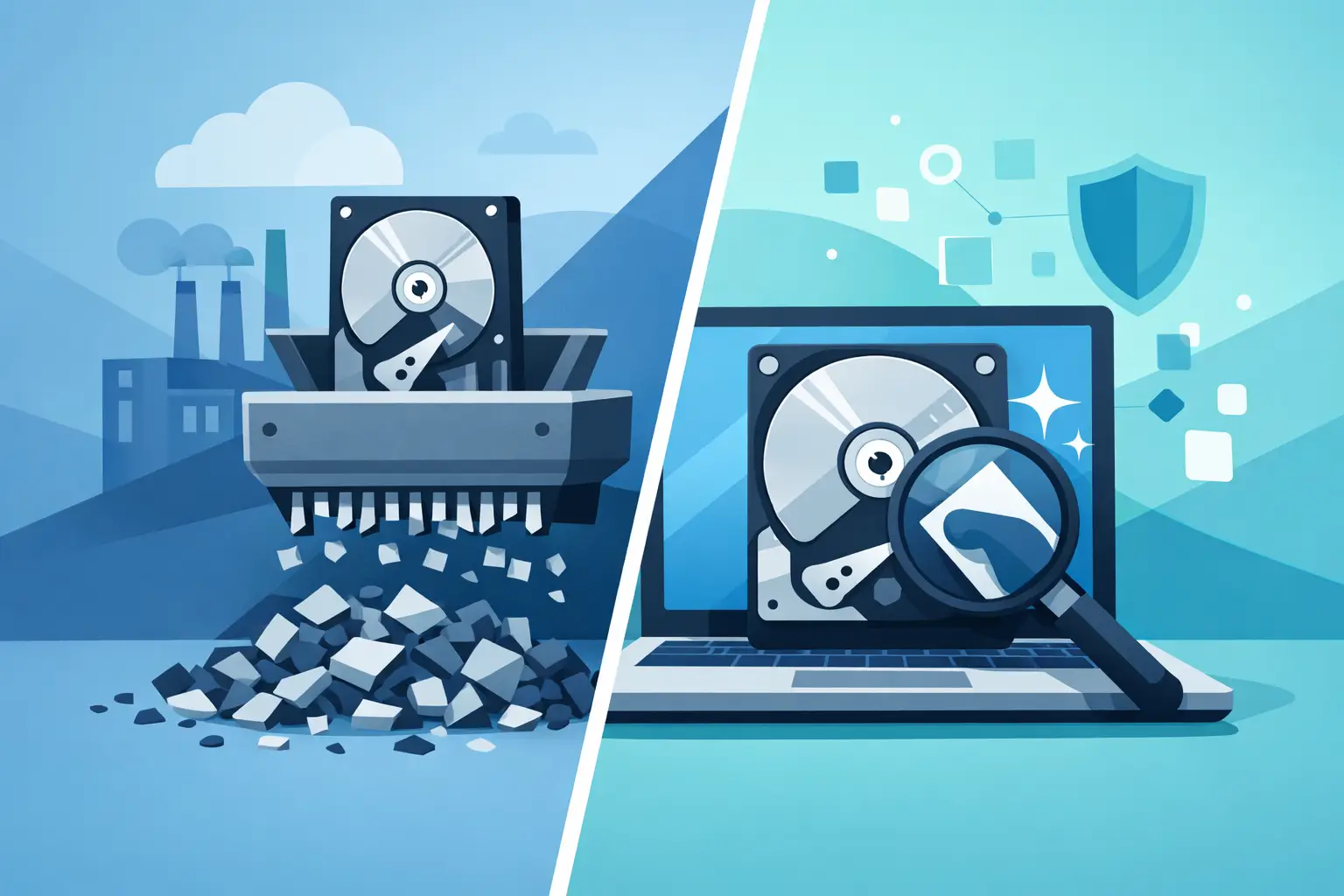
A retired server in a locked storage room can still be a data breach waiting to happen. For organizations clearing out old laptops, desktops, and infrastructure, the choice between hard drive shredding vs wiping affects security, compliance, asset value, and how quickly equipment can move out the door.
The right method depends on what kind of media you have, whether the device will be reused, and how strict your internal or regulatory requirements are. Some organizations need physical destruction with no chance of recovery. Others need to sanitize drives so systems can be resold, redeployed, or returned at end of lease. Treating every device the same usually creates either unnecessary cost or unnecessary risk.
Hard drive shredding vs wiping: the core difference
Shredding destroys the drive itself. Wiping destroys the data while leaving the drive intact. That sounds simple, but the operational difference is significant.
With shredding, the hard drive or solid-state drive is physically broken down into small pieces using industrial destruction equipment. Once that happens, the media cannot be reused. This is the most direct path when your priority is final destruction.
With wiping, software overwrites the storage media so the data cannot be recovered through normal forensic methods when the process is performed correctly. The device remains usable afterward. That makes wiping the better fit when an organization wants to remarket equipment, transfer it internally, or preserve residual value.
Neither method is universally better. The question is whether your organization needs certainty through physical destruction or wants secure sanitization that keeps the asset in circulation.
When shredding is the better choice
Physical shredding is often the right choice when the media is damaged, encrypted status is unknown, or chain-of-custody requirements are strict. It is also common for drives holding highly sensitive records, such as regulated healthcare data, legal files, financial information, government data, or confidential intellectual property.
Shredding is especially practical for failed drives. If a hard drive will not power on, cannot be read, or has bad sectors, software wiping may not complete successfully. In that situation, physical destruction removes the uncertainty. The same logic applies to older drives pulled from mixed equipment lots where organizations do not want to spend labor sorting by condition.
There is also a speed advantage at scale. For a room full of decommissioned servers and employee laptops, shredding can simplify the workflow. Instead of testing each drive, confirming wipe compatibility, and documenting sanitization status one by one, an organization can move directly to destruction for the media that no longer has reuse value.
The trade-off is obvious. Once shredded, the drive is gone. Any resale, redeployment, or return value tied to that device disappears with it.
Compliance and audit considerations for shredding
For many organizations, the appeal of shredding is not just security. It is documentation. Physical destruction is easier for nontechnical stakeholders to understand and easier to defend in an audit when supported by proper records, serialized tracking where applicable, and a certificate of destruction.
That does not mean shredding automatically satisfies every policy. Internal requirements still matter. Some contracts specify approved destruction methods, chain-of-custody steps, or witness procedures. The destruction method should match the organization’s written policy, not just habit.
When wiping is the better choice
Wiping makes sense when the drive still works and the equipment has value after data destruction. That includes employee laptop refreshes, desktop replacements, server turnover, and devices going to resale, donation, lease return, or internal reassignment.
For many IT and facilities teams, wiping supports a more efficient disposition program because it separates data security from unnecessary material destruction. If the device can be sanitized and reused, the organization may recover value, reduce replacement costs elsewhere, and keep usable equipment out of the waste stream longer.
This matters operationally. A business replacing 200 laptops does not always need 200 shredded drives. If those systems are functional and approved for remarketing, wiping can support both secure data destruction and more responsible asset management.
Wiping also fits sustainability goals better than destruction alone. Extending the life of equipment through reuse typically preserves more value than shredding a working drive and recycling the raw material.
Limits of wiping that organizations should not ignore
Wiping is not a shortcut. It only works when the media is accessible and the sanitization process is performed correctly. Failed drives, unstable drives, locked drives with unknown credentials, and some damaged solid-state media may not support complete overwriting.
SSD sanitization also requires more care than many people assume. Traditional overwrite logic developed around spinning hard drives does not always map cleanly to flash storage because of wear leveling and controller behavior. In practice, organizations should not assume every “erase” result carries the same evidentiary weight across all media types.
That is why process matters. If the goal is defensible data destruction, wiping should be validated, documented, and tied to the specific asset. If validation fails, the fallback is usually physical destruction.
Hard drive shredding vs wiping for HDDs and SSDs
Media type changes the decision.
For traditional hard disk drives, both wiping and shredding can be appropriate. HDDs are often easier to sanitize through overwriting when they are healthy and accessible. If they are old, failed, or coming from high-risk environments, shredding may be the cleaner option.
For SSDs, the decision is more nuanced. Wiping can still be appropriate, but the method must be compatible with flash-based media and verified. Some organizations choose shredding for SSDs more often because they want a simple, final result with fewer technical variables.
The same issue applies to other storage formats. Servers may contain multiple drives across different interfaces. Network appliances, copiers, and specialty equipment may contain embedded storage that gets overlooked during a basic equipment pickup. A good data destruction plan starts with identifying where data actually lives, not just counting computers.
Cost, value, and operational impact
If you look only at direct destruction cost, shredding can appear straightforward. If you look at the full asset disposition picture, wiping may create better economics when hardware remains usable.
A wiped laptop can be redeployed or sold. A shredded drive inside that same laptop may require replacement before the device can be remarketed, which changes the recovery value. For organizations turning over large fleets, that difference adds up quickly.
On the other hand, labor has a cost too. Wiping takes time, validation, and asset-level handling. For mixed loads of outdated or low-value hardware, shredding may be more practical than spending staff or vendor time sanitizing equipment with little or no resale potential.
This is where many organizations land on a mixed approach. High-value, functional assets are wiped and processed for reuse. Failed drives, obsolete media, and highly sensitive assets are shredded. That approach reduces risk without destroying value unnecessarily.
How to choose the right method for your organization
The best decision usually comes from five factors: media type, asset condition, data sensitivity, reuse plans, and compliance requirements.
If the drive is dead, shredding is usually the answer. If the device is healthy and headed for resale or redeployment, wiping is often the better fit. If the organization handles regulated or unusually sensitive data, physical destruction may be required for some or all assets regardless of condition. If internal policy is vague, that policy should be tightened before a major refresh or cleanout starts.
For Bay Area organizations managing office closures, server room cleanouts, or recurring IT refresh cycles, it helps to decide this before pickup day. Waiting until pallets are on the dock usually leads to inconsistent handling, missing serial records, or destruction decisions made under time pressure.
A qualified electronics recycling and data destruction partner should be able to separate reusable assets from end-of-life media, document the chosen method, and align the process with your organization’s security and environmental obligations. That is far more useful than a one-size-fits-all answer.
The mistake to avoid
The biggest mistake is assuming disposal and data destruction are the same thing. They are not. Moving old equipment out of a building does not mean the data risk is gone, and recycling electronics does not automatically mean storage media has been sanitized to your standard.
The second mistake is choosing a method based on habit. Some organizations shred everything because it feels safest. Others wipe everything because they want to preserve value. Both approaches can be wrong when applied without regard to drive condition, device type, and compliance exposure.
A defensible process is usually more important than a single preferred method. If you know what assets you have, where the data resides, which devices can be reused, and which ones require physical destruction, the decision becomes much simpler.
For most organizations, hard drive shredding vs wiping is not a debate to settle once. It is a policy decision to apply correctly, batch by batch, as equipment reaches end of life. When the method matches the media, the data risk, and the disposition goal, cleanup gets easier and the outcome is easier to stand behind.
